

To reliably track listing status changes, prioritize your agent or the MLS feed for speed and accuracy, treat public portal alerts as secondary signals, and know the difference between "Active Under Contract" and "Pending." That one distinction decides whether a house is worth a phone call or a lost cause.
Your agent has direct MLS access, which means they see status changes before Zillow, Redfin, or any app catches up. Portals pull from syndicated feeds that can lag by 24 hours to two business days, so a home marked "Pending" on a public site might have shifted status again by the time you see it.
- If a listing shows Active Under Contract or Under Contract-Continue to Show, showings and backup offers are often still possible.
- If it shows Pending, the seller has usually stopped accepting showings entirely.
- Either way, verify with your agent before you act. Don't trust the portal badge alone.
Pro Tip: Set a standing rule with your agent: any status change on a home you've toured gets a same-day text, even a one-word update like "still showing."
Key Takeaways
Reliable status tracking depends on prioritizing agent or MLS verification over portal alerts and knowing that Active Under Contract still allows action while Pending typically does not.
| Point | Details |
|---|---|
| Trust the agent first | MLS access is faster and more accurate than syndicated portal alerts, which can lag by up to two business days. |
| Know your statuses | Active Under Contract often allows showings and backup offers; Pending typically does not. |
| Watch reporting windows | Many MLSs require status updates within 24 hours to two business days, affecting DOM accrual. |
| Act on a plan, not a guess | Decide in advance what you'll do if your top listings go Pending or return to Active. |
| Centralize with NestNoted | Use its private pipeline and status alerts to track multiple listings while still verifying changes through your agent. |
Table of Contents
- What Do the Common Listing Statuses Actually Mean?
- How Do You Actually Monitor Status Changes?
- Why Does Reporting Timing Affect Days on Market?
- What Should You Do the Moment a Status Changes?
- How Does a Private Tracker Fit Into This Workflow?
- The Real Problem Isn't Missing Alerts, It's Misreading Them
- Where NestNoted Fits Once You're Tracking Multiple Homes
- Frequently Asked Questions
- Sources
What Do the Common Listing Statuses Actually Mean?
Every status on an MLS sheet tells you something specific about whether a home is reachable. Get these wrong and you'll waste a week chasing a house that's already off the table, or skip one that's still very much in play.
- Coming Soon: The seller is prepping to list; showings are usually restricted or not yet allowed.
- Active: Fully on the market, open to showings and offers.
- Active Under Contract (ACS) / Under Contract-Continue to Show (UC-CTS): An offer is accepted, but contingencies remain and the seller may still allow showings and accept backup offers.
- Pending / Under Contract-No Show: An offer is accepted and the seller has stopped showings. Effectively off-market.
- Temporarily Off Market / Withdrawn: Paused or pulled by the seller, not actively marketed.
- Closed / Expired: Sale completed, or the listing agreement ran out without a sale.
Some statuses pause Days on Market entirely, and syndication delays mean a portal might display "Active" for a listing the MLS already flagged as under contract. That gap is exactly where buyers get burned chasing a home that's no longer reachable.
How Do You Actually Monitor Status Changes?
You have three real options, and they're not equally reliable. Rank them by urgency, not by convenience.
- Agent or direct MLS access. This is the fastest, most accurate route. Ask your agent to run a quick MLS check or set up direct alerts tied to properties on your shortlist.
- Portal alerts and saved searches. Email or push notifications from consumer sites are easy to set up but run on syndicated feeds, which can lag behind the source MLS. Fine for casual browsing, risky for time-sensitive decisions.
- Manual checks. Scan for specific fields like "Continue to Show," change type flags such as "Back on Market" (BOM), or a "Hubbard" designation that some MLSs use to mark a relisted property. These flags tell you more than the headline status alone.
Think of it the way a package-tracking app handles shipments: a single timeline with automatic pings beats refreshing five browser tabs, which is basically the same problem buyers face juggling a dozen listings across MLS data and Zillow.
Pro Tip: Set your alert cadence to match the listing's temperature. Houses you've toured and liked get daily checks; everything else can wait for a weekly saved-search digest.
For urgent situations, like a home you toured yesterday that just flipped to Active Under Contract, skip the portal and text your agent directly. A five-minute delay can mean missing the window to submit a backup offer while the seller is still entertaining them.
Why Does Reporting Timing Affect Days on Market?
Most MLS rules require agents to report a status change within 24 hours to two business days, depending on the local board. That window matters more than most buyers realize.
- Active listings accrue Days on Market continuously.
- Under Contract and Withdrawn statuses typically pause DOM accrual, per Canopy MLS documentation.
- A relisted home after a fallen-through deal often resets or resumes DOM in ways that don't reflect true market interest.
A listing showing "3 days on market" might actually be a relist that spent six weeks under contract before the buyer's financing fell through. Treat DOM as a rough signal, not gospel, especially on any home that's changed status more than once. A property that bounced back to Active after a failed inspection isn't necessarily undesirable. It might just be a deal that a nervous buyer walked away from.
What Should You Do the Moment a Status Changes?
Don't guess. Run this sequence every time.
- Verify with your agent. Ask directly: is this still showing, and why did the status change?
- Ask targeted questions. What contingencies remain? What's the closing timeline? Is the seller accepting backup offers?
- Decide your move. Submit a backup offer, stay on standby, or pause other active steps like scheduling an appraisal or inspection.
Deals collapse more often than buyers expect. Financing falls through, inspections turn up problems, appraisals come in low, and homes under contract regularly return to market. That's exactly why serious buyers keep watching a "Pending" listing instead of writing it off.
Sample messages worth keeping on hand: "Saw [address] flipped to ACS. Still showing? Want to get a backup offer in if so." Or, for a Pending flip: "This one just went Pending. Worth staying on the list in case financing falls through?" A short checklist for briefing your agent keeps these conversations quick instead of scattered across three different text threads.
Pro Tip: Keep a running note of contingency deadlines for homes you're tracking as backups. If an appraisal contingency expires in ten days and nothing's changed, that's your cue to check in again.

How Does a Private Tracker Fit Into This Workflow?
Juggling a dozen listings across email alerts, agent texts, and screenshots is how buyers lose track of what actually changed and when. NestNoted centralizes that mess into one private view built specifically for the workflow above.
- Status-change alerts flag when a tracked listing shifts, so you're not relying on memory or a buried email.
- A property pipeline moves homes through stages, from "touring" to "backup offer submitted" to "passed," mirroring the exact decision steps you'd walk through with your agent.
- Side-by-side comparisons make it easy to weigh a newly available backup option against homes still active.
- Private notes stay confidential by default, so your honest read on a house, including negotiation thoughts, never risks becoming public.
The biggest failure point in home buying isn't missing information. It's information scattered across five apps and a group text, with no single place to see what actually changed and when.
Set it up by importing your saved listings, then let NestNoted flag status shifts while you continue treating your agent as the final word on availability. The tool centralizes and organizes what you're tracking. It doesn't replace the MLS verification your agent provides, and it shouldn't.
Pro Tip: Log your "why" the moment you tour a home, not three weeks later when a status change forces you to remember what you liked about it.
For buyers managing several properties in different stages, a structured property pipeline beats a spreadsheet that gets stale the first time a listing status changes overnight.
The Real Problem Isn't Missing Alerts, It's Misreading Them
Most advice on this topic focuses on setup: turn on notifications, save your searches, check the app daily. That's the easy part. The harder problem, and the one that actually costs buyers deals, is misinterpreting what a status change means once the alert arrives.
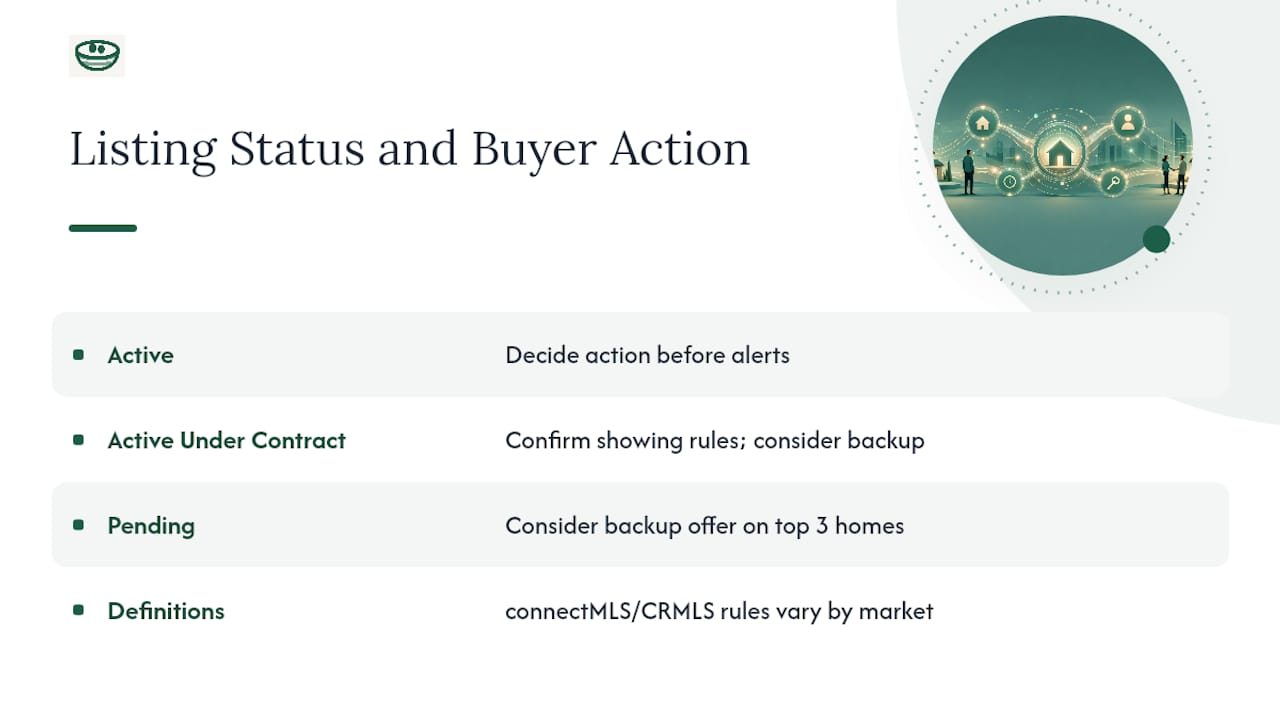
Buyers see "Pending" and assume it's dead. They see "Active Under Contract" and assume it's unreachable. Both assumptions are wrong often enough to matter. The connectMLS and CRMLS definitions exist precisely because these statuses get confused constantly, even among agents in different markets, where local rules vary on what "continue to show" actually permits.
My honest read: the buyers who move fastest aren't the ones with the most alerts turned on. They're the ones who've already decided, in advance, what they'll do when a specific status change happens. Decide today whether you'd submit a backup offer on your top three homes if they went Pending tomorrow. Don't wait for the notification to start thinking it through.
Where NestNoted Fits Once You're Tracking Multiple Homes
Juggling status alerts across five listings you're serious about is manageable. Juggling twelve, on top of agent texts and portal notifications, is where most buyers start losing track of which house did what. NestNoted gives you one private place to log status changes, pin your notes to each property, and see your whole pipeline at a glance instead of piecing it together from memory.

Setup takes a few minutes: create a free account, import the listings you're already watching, and start logging impressions as you tour. Your agent and the MLS remain your source of truth for verifying any status change before you act on it. NestNoted just makes sure nothing you've already learned about a house gets lost in the shuffle. Start tracking your listings free and see how much easier the next status change is to handle when it's not buried in a text thread.
Frequently Asked Questions
What's the difference between Active Under Contract and Pending?
Active Under Contract (or Under Contract-Continue to Show) means the seller accepted an offer but contingencies remain, and showings or backup offers may still be allowed, as explained in Home Sale Contingency: How to Make Your Offer Work. Pending means the seller has stopped showings entirely, and the property is effectively off-market.
How fast do MLS listings actually update?
Most MLS rules require agents to report a status change within 24 hours to two business days, though the exact window varies by local board. Public portals can lag further behind because they pull from syndicated feeds rather than the MLS directly.
Can a Pending listing come back on the market?
Yes. Financing issues, failed inspections, or low appraisals regularly send listings back to Active, which is why serious buyers keep an eye on homes they liked even after they go Pending.
Should I rely on Zillow or Redfin alerts instead of my agent?
Use portal alerts as a secondary signal, not your primary one. Your agent's direct MLS access is faster and avoids the syndication delays that affect consumer sites.
How do status changes affect Days on Market?
Statuses like Under Contract and Withdrawn typically pause DOM accrual, while Active listings accrue continuously. A relisted home can show a misleadingly low DOM if it previously spent weeks under contract before falling through.
Sources
- Listing Status Definitions – connectMLS
- CRMLS Listing Status Definitions and Effects on Days Active in MLS
- Listing Statuses and Status Changes - Canopy MLS Support