

Start with a Google Sheets or Microsoft Excel tracker for immediate house hunting, and keep private notes in Nestnoted when you need synced, confidential collaboration. For 2–5 homes, a basic single-sheet tracker is enough. Tracking 5–20 properties? Use a side-by-side comparison template with a scoring dashboard. Planning major renovations? Add a renovation/cost tracker with repair line items and ROI fields. Industry guidance from Redfin recommends completing pre-listing research, including listing history, tax records, and seller disclosures, before scheduling any tours.
Table of Contents
- What makes a house hunting spreadsheet actually useful?
- What columns does every property comparison spreadsheet need?
- Which template type should you start with?
- What should you do before and during every showing?
- How do you share your spreadsheet without exposing negotiation strategy?
- When should you switch from a spreadsheet to a dedicated tool?
- Copy-ready columns and formulas to paste right now
- Key Takeaways
- Structure beats memory every time
- Why Nestnoted is worth trying alongside your spreadsheet
- Useful sources
What makes a house hunting spreadsheet actually useful?
A spreadsheet becomes a decision tool the moment it does more than list addresses. The best house hunting spreadsheets combine six core functions: a unified listing database, linked financial math (mortgage, taxes, insurance, HOA, and closing costs), a tour impressions log, source tracking, a status and offer pipeline, and a weighted decision score.
Each function pulls its weight. Linked financial math tied to each property row prevents last-minute cash surprises because you see the full monthly cost and cash-to-close before you fall in love with a place. The impressions log matters because memory degrades quickly after multiple tours; buyers who skip it routinely confuse details from the third and seventh homes they visited. The scoring system converts gut feelings into numbers you can defend at the negotiating table.
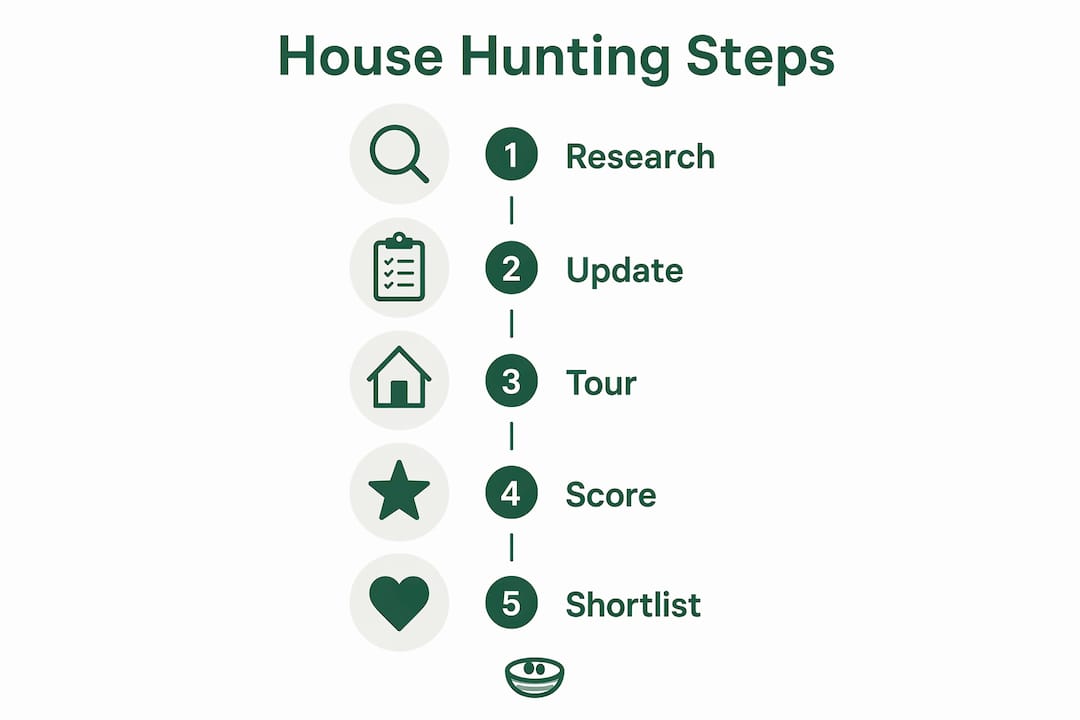
A practical workflow looks like this: pre-listing research → update the sheet → tour → score immediately → shortlist → submit offers. Every step feeds the next one.
Pro Tip: Build the financial math tab first, before you enter a single address. Buyers who add it later often discover they've been comparing properties on list price alone, ignoring a $400/month HOA difference.
What columns does every property comparison spreadsheet need?
The table below covers every field worth tracking, why it matters, and the formula or data format to use.
| Column | Purpose | Formula / Format |
|---|---|---|
| Property ID | Unique reference for cross-tab lookups | — |
| Address | Primary identifier | Text |
| Listing price | Baseline comparison | Currency |
| Offer price | Tracks negotiation delta | Currency |
| Beds / Baths | Core filter | Number |
| Sq ft / Lot size | Price-per-sq-ft math | =listing_price/sqft |
| Year built | Age and repair risk proxy | Number |
| Days on market (DOM) | Negotiation signal | Number |
| Listing history notes | Relists, price cuts | Text |
| Annual taxes | True monthly cost | Currency |
| HOA | Monthly carrying cost | Currency |
| Monthly estimate | All-in payment | =PMT(rate/12,360,loan)+taxes/12+HOA+insurance |
| Estimated repairs | Budget buffer | Currency |
| Seller disclosures flagged | Risk flag | Yes / No |
| Neighborhood score | Weighted sub-score | 1–10 |
| Commute minutes | Quality-of-life factor | Number |
| Agent contact | Follow-up reference | Text |
| Source URL | Direct link to listing | URL |
| Status | Pipeline stage | Dropdown |
| Inspection status | Due-diligence tracker | Dropdown |
| Cash-to-close | Down payment + fees + prepaid items | =down_pmt+lender_fees+title+prepaid+reserves |
Days on market above 45 and relisting activity often signal inspection issues or pricing mismatches. Flag those rows automatically with conditional formatting.
A weighted scoring rubric you can paste today
Assign each property a score using measurable proxies, not vibes. Sample weights that work for most buyers:
- Price vs. budget: 30%
- Neighborhood quality: 20%
- Condition / age: 25%
- Commute: 15%
- Estimated repairs: 10%
Before applying weights, normalize each factor to a 0–1 scale using min-max: =(value - MIN(range)) / (MAX(range) - MIN(range)). Then calculate the weighted total with =SUMPRODUCT(weights_array, normalized_scores_array) / SUM(weights_array).
Pro Tip: Don't let a single subjective factor dominate. "Feels homey" is not a column. Anchor every weight to something measurable: repair cost in dollars, commute in minutes, tax rate as a percentage.
Which template type should you start with?
Three template types cover almost every buyer situation.
Basic tracker (single sheet, one row per property): best for buyers touring fewer than five homes. Covers address, price, beds/baths, status, and a notes field. Download as a Google Sheets copy or an Excel .xlsx file. No formulas required to get started.

Side-by-side comparison template: the right choice for 5–20 properties. One row per property, a separate dashboard tab, color-coded pricing, and a top-contender ranking column. Templates with comparison dashboards make shortlist decisions visual and fast. This format also integrates the scoring rubric and mortgage calculator naturally.
Renovation/cost tracker: adds repair line items, contractor estimate fields, and a simple ROI calculation. Use this when you're seriously considering a fixer-upper and need to model whether the purchase price plus renovation budget stays under market value.
Quick selection rules:
- Tracking fewer than 5 homes: basic tracker in Google Sheets (free, shareable).
- Tracking 5–20 homes: side-by-side comparison template with a scoring tab.
- Planning major work: renovation/cost tracker with a dedicated repair budget sheet.
- Need offline control and complex macros: Excel .xlsx with local backup.
- Need real-time collaboration: Google Sheets or Airtable with shared access controls.
What should you do before and during every showing?
Pre-listing research belongs in the spreadsheet before you ever schedule a tour. Complete these steps first:
- Get mortgage pre-approval and enter your approved loan amount and rate into the financial tab. A mortgage pre-approval checklist helps you gather the right documents upfront.
- Look up listing history on Zillow or Redfin: note price cuts, relists, and original list date.
- Pull tax records from the county assessor's website and enter annual taxes.
- Request seller disclosures and flag any items in the "Seller disclosures flagged" column.
- Calculate the initial monthly estimate and cash-to-close before the tour.
On show day, open the property row before you walk in the door. During the tour:
- Record timestamped impressions in the notes field while you're still on-site.
- Fill in inspection red flags (water stains, HVAC age, roof condition).
- Link photos to the row using a Google Drive or Dropbox URL.
- Rate the property using the scoring rubric immediately after leaving. Consistent ratings recorded right after each showing are the single best defense against memory errors across a long search.
Add timeline fields: last checked date, next follow-up, and offer deadline. Review and update every row at least once a week.
How do you share your spreadsheet without exposing negotiation strategy?
Privacy controls differ significantly across platforms. A local Excel file stays entirely private by default. Google Sheets is cloud-based with granular share controls: you can grant view-only, comment, or edit access per person. Airtable adds collaboration views and role-based permissions. Nestnoted keeps all notes private by default, which matters most when you're logging candid impressions you wouldn't want a seller's agent to read.
Safe-sharing rules:
- Strip negotiation strategy (max offer, motivation level, timeline pressure) from any copy you share with an agent.
- Export a read-only PDF or share a view-only Google Sheets link for agent collaboration.
- Never post personally identifying financial notes to a public or semi-public platform.
- Keep version history enabled in Google Sheets so you can recover overwritten data.
Pro Tip: Create two tabs: a private master with all notes and a redacted "agent view" tab that pulls only address, score, and status. Share only the agent view tab as a separate link.
When should you switch from a spreadsheet to a dedicated tool?
Spreadsheets are the right starting point. They become the wrong tool when the manual workload outpaces the insight they deliver. Check how many of these apply:
- You're tracking more than 20 active properties.
- You need private collaboration with a buyer's agent without exposing all notes.
- You want automatic data sync from Zillow or Redfin instead of manual entry.
- You need price-drop alerts without checking listings daily.
- You want to query your property notes with an AI assistant.
- Multiple buyers are coordinating on the same search.
If three or more of those apply, test a dedicated tool. A practical rule: if your workbook consumes more than three hours a week in manual updates, that time is better spent on Nestnoted.
| Dimension | Spreadsheet (Sheets/Excel) | Airtable | Nestnoted |
|---|---|---|---|
| Ease of setup | High (paste and go) | Medium | High |
| Best for | Casual buyer, 2–20 homes | Collaborative teams | Serious buyer, private notes |
| Automation & sync | Manual | Partial | Auto-sync from Zillow/Redfin |
| Privacy controls | File-level or share link | Role-based views | Private by default |
| Collaboration | Google Sheets: real-time | Yes, with views | Shared workspaces |
| Cost | Free | Free tier, paid plans | Free |
Nestnoted's core strengths: privacy-by-default notes, listing sync from major portals, side-by-side comparisons, offer pipeline tracking, and price-drop alerts. It also lets you ask an AI assistant to query your own property notes, which no spreadsheet can do natively.
Copy-ready columns and formulas to paste right now
Paste these column headers into row 1 of a new sheet:
- Property ID, Address, Listing Price, Offer Price, Beds, Baths, Sq Ft, Lot Size, Year Built, DOM, Listing History Notes, Annual Taxes, HOA, Monthly Estimate, Estimated Repairs, Seller Disclosures Flagged, Neighborhood Score, Commute Minutes, Agent Contact, Source URL, Status, Inspection Status, Cash-to-Close
Key formulas:
| Formula | What it does |
|---|---|
=PMT(B2/12,360,C2) | Monthly P&I (B2=annual rate, C2=loan amount) |
=D2+E2+F2+G2 | Cash-to-close (down payment + lender fees + title + prepaid) |
=DAYS(H2,I2) | Days between two listing dates |
=(J2-MIN(J:J))/(MAX(J:J)-MIN(J:J)) | Min-max normalization for any factor column |
=SUMPRODUCT(weights,norm_scores)/SUM(weights) | Weighted aggregate score |
Conditional formatting triggers to set up now:
- Highlight DOM > 45 in red.
- Flag estimated repairs above your budget threshold in orange.
- Mark any score below 0.5 (on a 0–1 scale) in yellow.
Sync and backup checklist:
- Enable Google Sheets auto-save and version history.
- Export an .xlsx backup before submitting any offer.
- Access the sheet on mobile via the Google Sheets app for on-site updates.
Key Takeaways
A structured house hunting spreadsheet with linked financial math and a weighted scoring rubric moves decisions from emotion to evidence, and Nestnoted extends that structure with private syncing and pipeline features when the manual workload grows.
| Point | Details |
|---|---|
| Start with the right template | Use a basic tracker for 2–5 homes, a side-by-side comparison for 5–20, and a renovation tracker for fixer-uppers. |
| Add cash-to-close on day one | Sum down payment, lender fees, title, prepaid items, and reserves in a dedicated column from the start. |
| Score immediately after each tour | Memory degrades across multiple showings; rate each property before you leave the driveway. |
| Research before you tour | Pull listing history, tax records, and seller disclosures and enter them before scheduling any showing. |
| Upgrade to Nestnoted at 20+ properties | When manual updates exceed three hours a week, Nestnoted's private sync and AI query features replace the spreadsheet workload. |
Structure beats memory every time
Most buyers treat house hunting as a feeling-driven process and then wonder why they second-guess their offer the night before signing. The data tells a different story. A house hunting spreadsheet moves buyers from emotional to logic-driven decisions, and the scoring rubric is what makes that shift concrete. When you can show your agent a weighted score of 0.82 versus 0.71, you're negotiating from evidence, not anxiety. The buyers who struggle are almost always the ones who kept notes in their heads or scattered across text threads. Structure doesn't remove emotion from the process. It gives emotion a place to sit while the numbers do the actual work.
Why Nestnoted is worth trying alongside your spreadsheet
Spreadsheets get you started. Nestnoted is where serious buyers land when the spreadsheet stops keeping up. Every note you log is private by default, so you can write exactly what you think about a property without worrying who sees it. Listings sync automatically from Zillow and Redfin, which cuts the manual entry that eats hours every week. Side-by-side comparisons, an offer pipeline, and price-drop alerts are all built in. And when you want to find something you noted three weeks ago, the AI assistant queries your own notes instantly.

Migration from a spreadsheet takes minutes: your existing column structure maps directly to Nestnoted's fields. Try it free alongside your current workbook and see whether the time savings justify the switch. Start tracking properties on Nestnoted at no cost and keep your spreadsheet as a backup until you're ready.
Useful sources
- Redfin House Hunting Checklist: Covers pre-listing research workflow and the behavioral case for structured tracking. Backs the pre-tour research and scoring recommendations in this article.
- ExcelHarbor Home Buying Template: Free Excel workbook with mortgage and closing cost calculators tied to each listing. Backs the cash-to-close field and PMT formula guidance.
- Ardent Workshop House Search Tool: Excel template with weighted scoring, tour impressions log, and color-coded comparison dashboard. Backs the scoring rubric and immediate post-tour documentation advice.
- FirstHomeToolkit House Hunting Checklist: Practitioner guidance on tracking DOM and relisting activity as negotiation signals. Backs the DOM >45 flag recommendation.
- Real Estate Skills Rental Property Spreadsheet: Explains the trade-offs between offline Excel ownership and cloud-based Google Sheets collaboration. Backs the privacy and sharing section.
- Herndon Home Guide: Reviewing Real Estate Contract Terms: Practical guidance on what contract terms and disclosures to log in your spreadsheet during due diligence.