

A property tagging system is a private tool for labeling, scoring, comparing, and logging offers on homes you tour, built so the details don't blur together after your fifth showing. If you're touring more than a handful of properties, you need one before you walk into your next open house. Expect these core pieces:
- Custom tags and labels (status, condition, feature)
- Photos with attached notes, tied to a specific address
- A numeric scorecard for side-by-side comparison
- Offer logging with terms, dates, and outcomes
- A private workspace that isn’t visible to listing agents or the public
Real estate professionals repeatedly stress the same fix for tour chaos: organize showings geographically and standardize your scoring system before you ever step through a front door. Skip that step and you're relying on memory and a camera roll to make a six-figure decision.
Key Takeaways
A private property tagging system works because it replaces scattered photos and memory with standardized tags, scorecards, and offer logs you can compare in minutes.
| Point | Details |
|---|---|
| Tag before you tour | Set up your taxonomy and scorecard fields before your first showing, not after. |
| Score during the walk-through | Capture photos, a three-line note, and a quick score while you're still in the room. |
| Debrief within the hour | Finalize your scorecard and photo album the same day, before impressions blur together. |
| Separate private from shared notes | Keep negotiation strategy private and only share what's safe for an agent to see. |
| NestNoted for the full workflow | NestNoted combines private tagging, scorecards, offer logging, and portal sync in one privacy-first tool. |
Table of Contents
- What Makes a Good Property Tagging System?
- How Do You Tag and Compare Homes During a Tour?
- What Should You Tag on Each Property?
- How Do You Keep Your Notes Private From Listing Agents?
- How Long Does It Take to Set Up a Property Tagging System?
- Why NestNoted Fits Serious Buyers and Agents
- Try NestNoted for Your Next Round of Home Tours
- Frequently Asked Questions
- Sources
What Makes a Good Property Tagging System?
The difference between a tagging system that actually helps and one you abandon after two weekends comes down to a handful of features. Miss any of these and you'll end up back in a messy folder of screenshots.
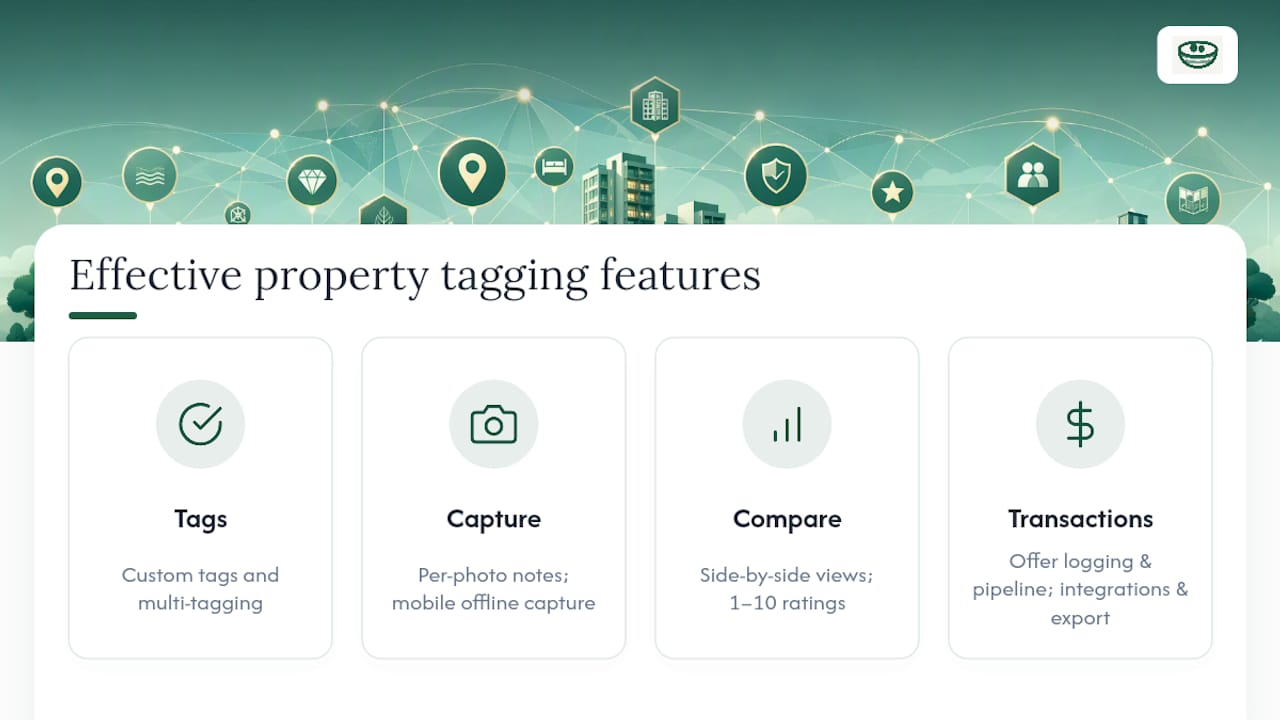
Custom tags and multi-tagging. You need to slap more than one label on a property. A house can be "top contender," "needs new roof," and "great commute" all at once. Rigid single-category systems force false choices.
Custom fields. Tax bills, HOA dues, square footage, lot size. Generic note apps don't have fields for this; a real tagging system does.
Photo capture with per-photo notes. A photo of a cracked foundation means nothing three weeks later without a note attached to it, not just a caption on the whole album.
Side-by-side comparison views. Once you've toured six homes, you need to see them in a grid, not scroll through six separate note threads.
Numeric scorecards. A 1 to 10 rating on location, layout, and condition turns fuzzy gut feelings into something you can actually compare.
Offer logging and pipeline tracking. Price, earnest money, contingencies, and where each offer stands. This becomes essential the moment you're managing more than one active negotiation.
Alerts and price-drop notifications. So you're not manually refreshing listings you've already tagged as favorites.
Mobile capture with offline mode. Basements and rural properties kill cell signal constantly. Your tool has to work without it.
Integrations and export. The ability to pull in listings from major portals and pull your data back out again if you switch tools.
Pro Tip: Before connecting any integration, check who owns the data once it's synced. A tool that locks your notes inside someone else's export format isn't saving you time, it's creating a future migration headache.
How Do You Tag and Compare Homes During a Tour?
Here's a workflow that holds up whether you're touring one home a week or eight in a single Saturday.
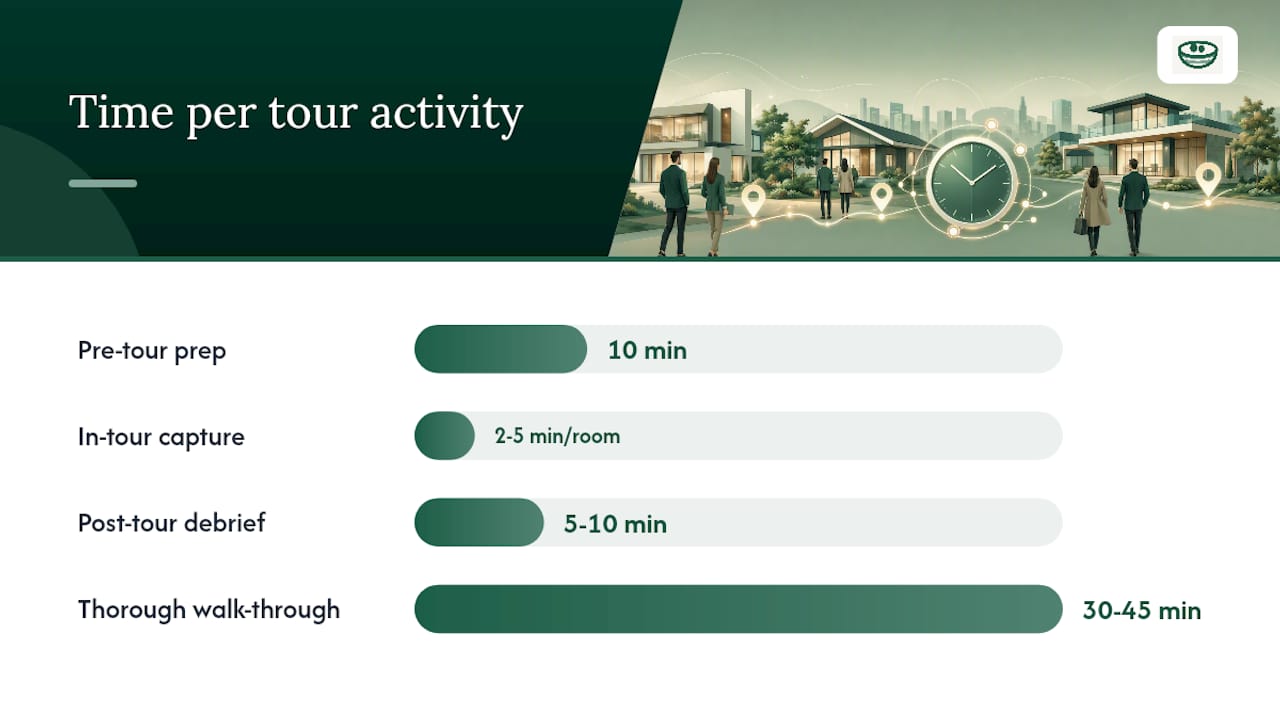
- Pre-tour prep (10 minutes per home). Pre-populate each address with the listing photos, price, and basic stats before you arrive. Build a quick checklist of what you're checking for.
- In-tour capture (2 to 5 minutes per room). Snap photos and write a three-line headline for each room while you're standing in it. Give a quick gut score, 1 to 10, before you leave the property.
- Immediate post-tour debrief (5 to 10 minutes, same day). Create a labeled photo album by address, finalize your scorecard, and tag the property's status while the smell of the place is still fresh in your head.
- Shortlist comparison (once you've narrowed to 3 to 5 homes). Pull up your side-by-side view and apply a weighted score across your top criteria.
- Decision and offer logging. Record your price, earnest money amount, contingencies, and timeline the moment you decide to move.
- Post-offer pipeline tracking. Log every counter, deadline, and response so nothing falls through during negotiation.
Real estate professionals routinely plan 30 to 45 minutes per home for a thorough walk-through, with a fast exterior scan first, roofline, foundation, grading, before you even walk in. That same guidance recommends debriefing immediately, not at the end of a five-house day when your notes from house one and house three start blending together.
Copy this field list into whatever you use to track homes: address, date toured, first impression score, condition score, layout score, commute score, red flags, questions for the agent, and current status.
What Should You Tag on Each Property?
A consistent taxonomy is what makes comparison possible later. Without it, "good light" on one house and "bright kitchen" on another are impossible to weigh against each other. Break your tags into these groups:
- Identification: address, MLS number, list price, date toured
- Status: top contender, maybe, not a fit, passed
- Condition: move-in ready, needs cosmetic work, major systems concern
- Feature: natural light, layout flow, yard size, commute distance
- Financial: property tax, HOA dues, estimated utility costs
- Offer status: offer sent, countered, under contract, fell through
For your numeric scorecard, rate each home 1 to 10 on location, layout, condition, value, and commute, then apply weights if some criteria matter more than others to you. A home that scores a 9 on layout but a 3 on commute might land at a 6 overall once you weight commute at double.
How Do You Keep Your Notes Private From Listing Agents?
Listing agents typically hand out flyers with the basics: price, square footage, taxes, HOA info. What they don't need is your negotiating strategy. Real estate professionals warn buyers against revealing budget or enthusiasm to a listing agent during a showing, and that same discipline needs to carry into your notes.
Look for these controls before you commit to any tool:
- Private-by-default workspaces, not public boards
- Granular share links so you control exactly what a co-buyer or advisor sees
- Role-based permissions for agent access versus personal notes
- Audit logs showing who viewed or edited what
For collaboration, use a shared workspace for you and your agent, view-only links for advisors like a parent or financial planner, and temporary access for a co-buyer who's only involved on certain properties. Export your data periodically, CSV or JSON both work, and keep a personal backup outside whatever platform you're using.
Pro Tip: Keep two note layers: a private tag for your real max budget and negotiation leverage, and a separate, shareable note for anything you'd be fine with a listing agent overhearing.
How Long Does It Take to Set Up a Property Tagging System?
Basic setup runs 15 to 60 minutes: create your tag categories, build your scorecard template, and import a few active listings. Importing a large existing list and customizing every field can stretch to a few hours.
Your first day should focus on naming conventions, how you'll label photos and tags consistently, so week two doesn't turn into cleanup work. By week one, standardized tagging should feel automatic.
- Free spreadsheets: no cost, but you pay in setup time and manual comparison work
- Freemium trackers: faster to start, limited on privacy controls or comparison views
- Dedicated SaaS with privacy features: costs more but saves hours during high-volume touring periods
If you're touring more than three or four homes a month, or working with a co-buyer, that's usually the signal to move off a spreadsheet and into a dedicated tracker.
Why NestNoted Fits Serious Buyers and Agents
NestNoted was built around the exact friction points above: tagging flexibility with custom multi-tagging, private-by-default workspaces, side-by-side comparison views, and an offer pipeline that logs price, earnest money, and contingencies in one place. It syncs listing data from Zillow and Redfin, works on mobile for in-tour capture, and sends price-drop alerts on properties you've already flagged.
What sets it apart for high-volume touring is the AI assistant, which lets you query your own notes ("which homes scored above 8 on layout but under budget on HOA?") instead of scrolling through weeks of entries. That turns a 20-minute debrief search into a 10-second answer.
- Custom tags plus numeric scorecards, matched to the taxonomy above
- Private workspace with role-based sharing for agents and co-buyers
- Offer logging tied directly to each property's tag history
- Mobile capture with photo notes, synced automatically
Pro Tip: Migrating from a spreadsheet takes under an hour: export your existing rows as CSV, import them, then rebuild your tag categories using the taxonomy you already trust. Antony, who has toured dozens of properties across multiple buying cycles, built the workflow above around exactly this kind of transition.
A Practitioner's Take on Why This Matters
Touring homes at volume breaks your memory faster than people expect. After the fourth showing in a day, kitchens start swapping places in your head, and the one detail that mattered, a sagging floor joist, a suspiciously new paint job, gets lost. A private tagging habit fixes that, and it's worth pairing with a solid touring checklist so nothing slips through on inspection day either. Whatever system you build, back it up somewhere outside the app.
Try NestNoted for Your Next Round of Home Tours
NestNoted gives you a private workspace built specifically for the workflow this guide just walked through: tag homes as you tour, score them consistently, and log offers without any of it landing on a public board a listing agent could see.

When you sign up, you get:
- A private, tag-based workspace with no public visibility
- Ready-made tagging templates so you're not building a taxonomy from scratch
- Side-by-side comparison views for shortlist decisions
- Offer tracking with price, earnest money, and contingency fields built in
- Zillow and Redfin sync, plus mobile capture for in-tour notes
If you're touring three or more homes this month, set up a free account and import your current shortlist. It takes less time than one house showing, and every note stays private by default. Explore the full feature set to see what fits your current search.
Frequently Asked Questions
What is a property tagging system, exactly? It's a private tool that lets you label, score, and organize homes you've toured, plus log the offers you make, so you can compare properties consistently instead of relying on scattered notes and photos.
Do I need a dedicated app, or can I use a spreadsheet? A spreadsheet works fine for a handful of homes. Once you're touring more than three or four a month, or collaborating with an agent and a co-buyer, a dedicated tracker saves real time on comparison and offer tracking.
How do I keep my notes private from my listing agent? Use a tool with private-by-default workspaces and role-based sharing, and keep negotiation details, like your real max budget, in a private tag layer separate from anything you'd share.
How long does setup actually take? Basic setup takes 15 to 60 minutes. Importing an existing shortlist and customizing tags can take a few hours if you're bringing over a large number of properties.
Can I sync listings from Zillow or Redfin automatically? Yes, tools like NestNoted sync listing data from both portals, so you're not manually re-entering price, square footage, and property details for every home you tag.
Sources
- Touring Multiple Homes in a Day? Here’s How to Stay Organized and Clear-Headed | Real Estate Resources | Expert Advice & Market Insights
- Opendoor