

What is a house hunting spreadsheet, and why do serious buyers need one?
A house hunting spreadsheet is a structured document where buyers record, compare, and evaluate every property they consider. Think of it as your decision-making command center, not just a data dump. When you're juggling a dozen listings across Zillow, Redfin, and your agent's MLS feed, memory fails fast. A well-built tracker keeps you grounded.
The core categories worth tracking: address, asking price, square footage, bed and bath count, year built, utility types, listing link, pros and cons, and current status (for sale, pending, sold). Beyond property details, buyers who also track recurring ownership costs like taxes, insurance, and maintenance get a far clearer picture of what they can actually afford versus what a lender will approve.
Spreadsheets also double as collaboration tools. Share the file with your partner or your buyer's agent so everyone works from the same information. That alignment alone can cut weeks off a search.

Key components every effective home buying spreadsheet should include
A property tracker spreadsheet earns its keep when the fields are specific enough to be useful but not so granular that filling it out feels like a second job. Here's what belongs in a well-structured template:
Property details:
- Address, city, state, and ZIP code
- Listing price and price per square foot
- Bedrooms, bathrooms, lot size, and year built
- Heating, cooling, and water source type
- Link to the online listing (Zillow, Realtor.com, etc.)
- Current status: for sale, under contract, pending, or sold
Financial planning fields:
- Estimated down payment and closing costs
- Monthly mortgage estimate, property taxes, HOA fees, utilities, and maintenance reserve
- A separate "what I qualify for" vs. "what I can comfortably afford" row, because those numbers are rarely the same
Evaluation and organization:
- Pros and cons columns for each property
- A favorites indicator (a simple "Y" works fine)
- Open house notes and post-tour impressions
- A weighted score column for objective comparison
Common tracked fields in popular templates include all of the above, and the best ones let you sort by any column so the highest-priority homes rise to the top instantly.
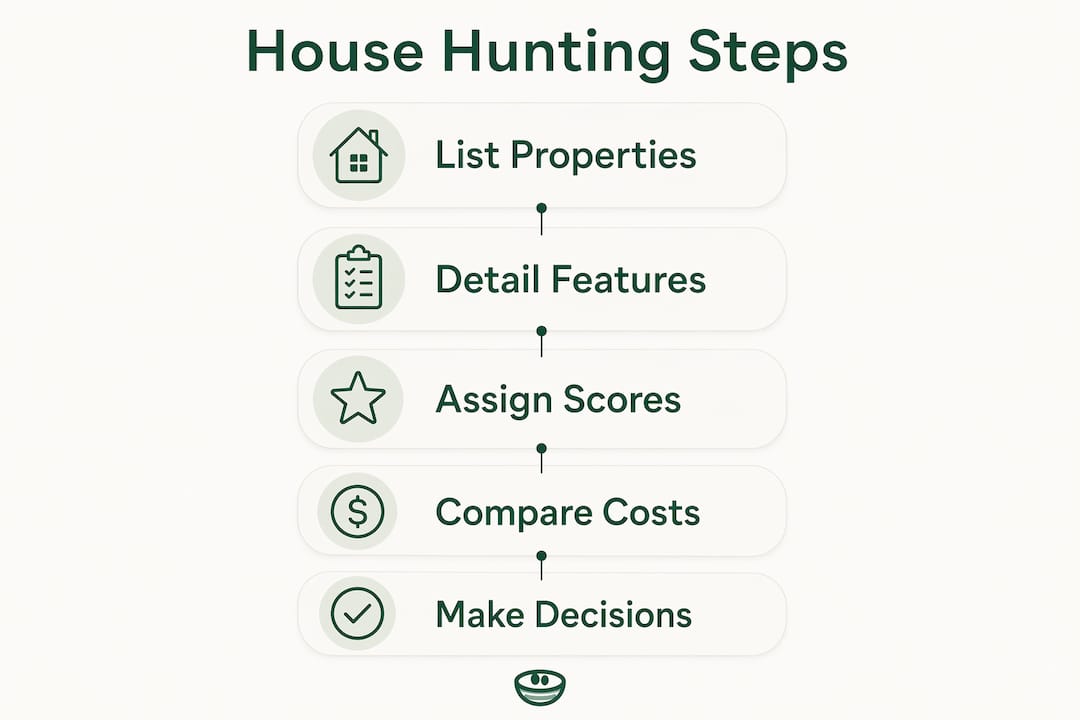
Top free house hunting spreadsheet templates worth using
Several well-regarded templates are available for free in both Google Sheets and Excel formats, each suited to a slightly different workflow.
Google Sheets house hunting template (SpreadsheetClass): One of the most widely shared free options. It includes columns for address, price, status, square footage, beds, baths, lot size, year built, heating, cooling, pros, cons, and notes. A built-in Favorites tab auto-populates when you mark a property. The status column uses color coding: green for "For Sale," red for anything else, so you can see at a glance which listings are still live.
Free home buying spreadsheet (KS Realty Agent): Created by a licensed REALTOR®, this template covers property comparison, budget tracking, a features checklist, and a visit tracker for post-showing impressions. Available in Excel, Google Sheets, and PDF. It's built specifically for buyers who want one file that handles both the property search and the financial picture.
Home Buying & Mortgage Workbook (Tynkr, 15-tab version): The most financially detailed option on this list. It includes an Affordability Dashboard with debt-to-income analysis, a Rent vs. Buy calculator over 5, 10, and 20-year horizons, a 23-line-item Closing Costs estimator, and a weighted Home Search Scorer for comparing up to five properties side by side. Available in both Excel and Google Sheets for $22.99.
Boston University house hunting spreadsheet: A clean, no-frills Excel file from BU's advising resources. Useful for buyers who want a minimal starting point they can build out themselves.
Master spreadsheet for home purchase considerations (ABGRE): A Google Sheets template built by a buyer's agent in southeastern Virginia, with a 1–10 importance weighting row for every column. It's designed for the narrowing phase, once you've already filtered a larger list down to under 20 serious contenders.
Choosing between Google Sheets and Excel comes down to one question: are you buying solo or with someone else? Google Sheets wins on real-time collaboration and mobile access. Excel is better for offline use and complex personal calculations you don't want to share.
How to customize and use your spreadsheet effectively
Fill it out immediately after every tour. The detail that felt obvious in the driveway gets blurry by evening. Treating the spreadsheet as a decision-making tool rather than a data-entry chore is the single biggest shift serious buyers make.
Start simple, then add columns. Open with the core fields: address, price, beds, baths, status, and your pros/cons. Add columns for HOA fees, school district ratings, or commute time only when those factors become relevant to your actual search. Overbuilding the template on day one leads to half-empty rows and abandoned spreadsheets.
Weight your criteria. Assign a score of 1–10 to each feature based on how much it matters to you, then rearrange columns so the highest-priority ones sit on the left. This turns a subjective gut feeling into a number you can sort by.
Track the full cost of ownership, not just the mortgage. A dedicated affordability section covering property taxes, insurance, HOA dues, utilities, and a maintenance reserve gives you a realistic monthly number before you fall in love with a listing.
Keep the list manageable. Detailed comparison works best when you're evaluating fewer than 20 properties at once. Beyond that, cognitive overload sets in and the spreadsheet stops helping.
Share it strategically. Copy the file into Google Sheets and share it with your buyer's agent before showings. Agents who can see your notes and rankings in real time can surface better matches faster. Avoiding first-time buyer mistakes often comes down to this kind of early alignment.
Pro Tip: After each tour, write your gut reaction in the notes column before you look at the price again. Your unfiltered impression, captured before the numbers re-anchor your thinking, is often the most honest signal you have.
How Nestnoted enhances house hunting beyond a spreadsheet

Spreadsheets are powerful, but they have a ceiling. They don't sync with Zillow or Redfin. They can't send you a price drop alert. And when you're sharing a Google Sheet with your partner and your agent, "candid" notes become careful ones.
Nestnoted is built for exactly this gap. It's a private property management platform where buyers track listings, document impressions, log offers, and run side-by-side comparisons, all with notes kept confidential by default. That privacy matters more than it sounds. When your feedback isn't visible to your agent or seller, you write what you actually think, and that honesty is what leads to better decisions.
Key features buyers use most:
- Private notes and pros/cons for every property toured
- Side-by-side property comparisons without building a manual table
- Price drop alerts so you don't miss a listing that just moved into your range
- Data sync from Zillow and Redfin to reduce manual entry
- Shared workspaces for coordinating with a partner or agent when you're ready to collaborate
- AI assistant to query your own property notes across multiple listings
Nestnoted works alongside a spreadsheet, not instead of one. Use a home buying spreadsheet for financial modeling and bulk data. Use Nestnoted for the qualitative layer: impressions, offer history, and the private thinking that drives the final call.
Key Takeaways
A house hunting spreadsheet works best when it functions as a decision-making tool, not just a data log, combining property details, weighted criteria, and full ownership costs in one organized file.
| Point | Details |
|---|---|
| Track the right fields | Include address, price, beds, baths, status, pros/cons, and a listing link at minimum. |
| Separate qualify from afford | Track all recurring costs so your budget reflects what you can sustain, not just what a lender will approve. |
| Weight your criteria | Assign a 1–10 importance score to each feature and sort columns accordingly for faster visual comparison. |
| Limit your comparison list | Keep detailed comparisons to fewer than 20 properties to avoid decision fatigue. |
| Add a private layer | Use Nestnoted alongside your spreadsheet for confidential notes, price alerts, and side-by-side property views. |