

If you want a real alternative to Trulia, the answer isn't another portal. It's a private property tracker. Nestnoted is the top pick for serious buyers who need confidential notes, offer tracking, and side-by-side comparisons without their data feeding an agent lead machine. For flexible personal organization, Notion and Airtable work as DIY backups. Google Sheets handles raw data if you're comfortable building your own system.
- Nestnoted — purpose-built private tracker with import/sync, AI search, and agent collaboration controls
- Notion or Airtable — flexible workspaces for buyers who want custom templates
- Google Sheets — spreadsheet backup for data-heavy buyers who prefer full manual control
Here's the core problem: Zillow and Realtor.com earn revenue primarily by selling leads to real estate agents. Zillow is a highly visited platform, which means the product is built for scale and agent conversion, not for your private decision history. Trulia runs on the same model.
Table of Contents
- How do top trulia alternatives compare for private buyers?
- How do you pick the right alternative for your home search?
- How do you move your Trulia bookmarks into a private tracker?
- Why large portals like Trulia aren't built for private buyer workflows
- How do you capture notes and pros/cons after a tour?
- How do the user interfaces compare across these tools?
- Where do neighborhood and school data come from?
- Which markets and regions do these tools cover?
- What kind of support do these tools offer?
- What do users say about these alternatives?
- Key Takeaways
- Why Nestnoted earns the recommendation
- Nestnoted: a private property tracker built for buyers
- Where to learn more and primary sources
How do top trulia alternatives compare for private buyers?
The table below compares tools across the dimensions that actually matter when you're touring homes and tracking offers, not just browsing.
| Dimension | Nestnoted | Notion / Airtable | Evernote | Google Sheets | Trulia |
|---|---|---|---|---|---|
| Privacy & data sharing | Private by default; notes never shared without consent | Private; stored in your account | Private; account-controlled | Private; stored in Google account | Lead-gen model; activity shared with agents |
| Home-buying features | Pros/cons templates, offer log, price alerts, pipeline | Custom templates only | Notes only; no property structure | Manual build required | Saved homes; no private notes or offer log |
| Portal import / sync | Zillow & Redfin sync supported | Manual paste or CSV | Manual only | Manual CSV | Native (same database as Zillow) |
| Collaboration | Shared workspace with agent access controls | Shared pages; no agent-specific controls | Shared notebooks | Shared sheets | Agent contact form only |
| Mobile app | Yes | Yes | Yes | Yes (limited offline) | Yes |
| AI / advanced search | AI assistant queries your own notes | None built-in | None built-in | None | Basic filters only |
| Price / free tier | Free (all core features) | Free tier; paid from $10/mo | Free tier; paid plans available | Free | Free |
| Setup time | 10–20 minutes | closer to an hour. | 20–30 min | — | Instant |
Verdict by use case: Nestnoted suits private, organized pipelines out of the box. Notion and Airtable reward buyers who enjoy building custom systems. Evernote works for light note-takers who don't need property-specific structure. Google Sheets is the fallback for anyone who wants raw control and already lives in spreadsheets. Trulia is fine for discovery, but it leaves serious buyers with no private workspace once touring begins.
Buyer-focused platforms that prioritize private notes and offer logs directly address the gap left by lead-generation aggregators.
How do you pick the right alternative for your home search?
The right tool depends on where you are in the buying process. During early browsing, raw listing coverage matters. Once you're touring, privacy and note structure take over.
Questions to ask before committing to any tool:
- Does the privacy policy explicitly state your notes and activity are not shared with agents or third parties?
- Can you export your data in a standard format (CSV, PDF) without paying extra?
- Does it sync or import from the portals you already use (Zillow, Redfin)?
- Is the pricing transparent, with a real free tier and no hidden upgrade walls?
- What's the support response time if something breaks mid-search?
Red flags to walk away from:
- No clear privacy policy or vague language about "personalized recommendations"
- Automatic agent contact triggered by saving a listing
- Data locked behind a paid export wall
- Pricing that changes after signup with no warning
During the touring phase, weight privacy controls and note structure highest. During the offer stage, offer logging and collaboration with your agent matter most. A tool that handles both without forcing you to switch apps is worth the setup time.
Pro Tip: Before you sign up for anything, paste one listing into the tool and write three notes about it. If the workflow feels clunky in five minutes, it'll feel worse after twenty tours.
How do you move your Trulia bookmarks into a private tracker?
The migration takes under 30 minutes for most buyers. Here's the practical path.
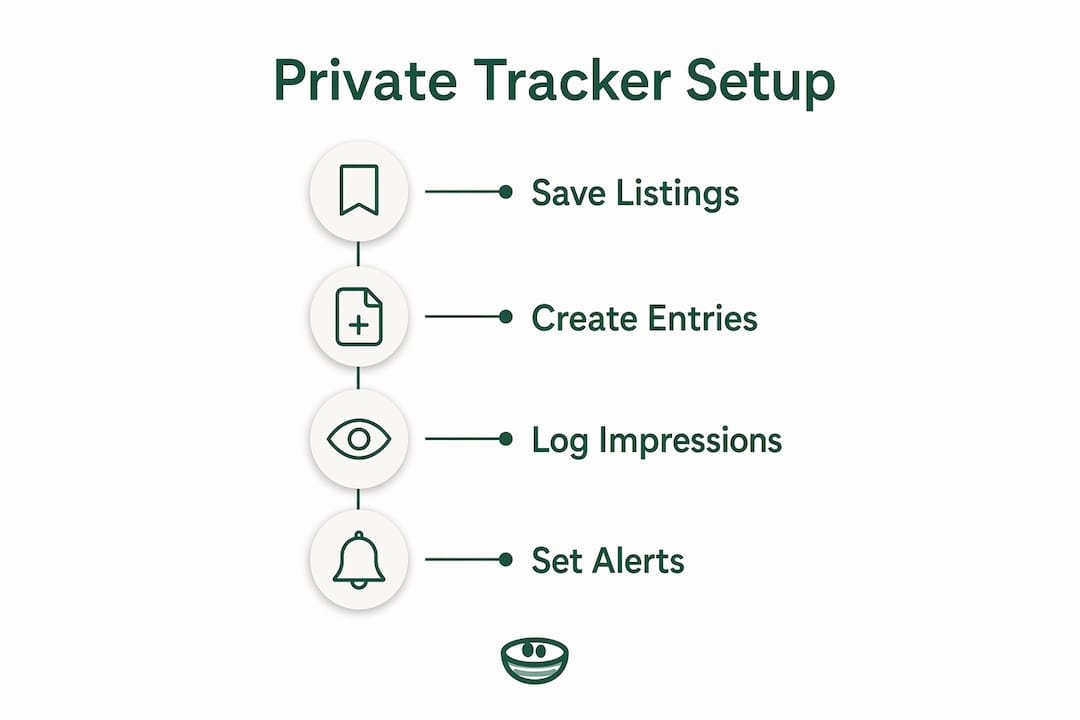
Step 1: Save your current listings
Open your Trulia saved homes list and copy each listing URL. If you have screenshots or notes in a text thread or email, gather those too. Don't worry about formatting yet.
Step 2: Create property entries in your tracker
In Nestnoted, paste each URL to generate a property card. The platform pulls in address and basic data automatically when syncing from supported portals. For Notion or Airtable, create a row per property and paste the URL manually.
Step 3: Log your impressions immediately
For each property you've already toured, write at least three notes: one thing you liked, one concern, and your gut reaction on price. This is the data portals never capture and that you'll forget within two weeks.
Step 4: Set your alerts
Configure price-drop alerts and status-change notifications for any active listings. In Nestnoted, these are built in. In Google Sheets, you'll need to check portals manually or use a third-party alert tool.
Pro Tip: Always note the source portal and the date you first saw a listing. If a property relists at a lower price three months later, that provenance tells you something the current listing page won't.
The full setup, including importing a shortlist of ten properties and writing initial notes, typically takes 10–20 minutes. Building a custom Notion or Airtable template from scratch takes closer to an hour.
Why large portals like Trulia aren't built for private buyer workflows
Zillow acquired Trulia in 2015, and both platforms share the same underlying listing database and home value algorithms. Switching between them gives you a different interface, not different data. That's the first reason a "Trulia alternative" should mean something beyond another portal.
The deeper issue is the business model. Portals earn revenue by selling buyer leads to agents. Every product decision flows from that. Saved homes trigger agent outreach. Search activity shapes "recommendations" that keep you browsing. The UI is designed for discovery and conversion, not for a buyer who needs a structured decision history.
What portals consistently leave unmet:
- A private space to write candid pros/cons without those notes being visible to anyone
- Offer tracking across multiple properties with dates and terms
- Side-by-side comparison of toured homes on your own criteria
- A searchable log of every property you've considered and why you passed
User reviews and analyst commentary consistently flag outdated listings and a product design that rewards agent leads over buyer pipelines. That's not a bug. It's the product working as intended for its actual customer, which is the agent, not you.
How do you capture notes and pros/cons after a tour?
The best note-taking systems for home buyers are structured, not freeform. A blank text box after a tour produces vague impressions. A template with fixed fields, "natural light," "storage," "noise level," "neighborhood feel," produces data you can actually compare.
Nestnoted's pros/cons templates are built around toured-property specifics. You fill in fields during or right after a walkthrough, and the platform stores them against that property card permanently. Evernote and Notion can replicate this with a custom template, but you have to build and maintain it yourself. Serious buyers tend to pivot away from general aggregators during intensive touring precisely because they need this kind of structured private space.
How do the user interfaces compare across these tools?
Nestnoted's interface is purpose-built for property tracking, which means less setup friction than a general workspace app. Notion and Airtable are powerful but require you to design your own structure before you can use them effectively. That's fine if you enjoy that kind of work; it's a barrier if you're already stressed about a home search.

Trulia's interface is polished for browsing and discovery. The map view, photo galleries, and neighborhood overlays are genuinely good. What it lacks is any organizational layer beneath "saved homes." There's no way to rank, annotate, or compare saved properties in a meaningful way.
Where do neighborhood and school data come from?
Trulia has invested heavily in neighborhood content, including resident reviews, commute data, and school ratings sourced from GreatSchools. That's a real strength for discovery. Realtor.com pulls school data from the same GreatSchools database. Redfin layers in walk scores and transit scores from Walk Score.
Private trackers like Nestnoted don't generate neighborhood data independently. The practical approach is to pull neighborhood research from portals during discovery, then paste the relevant details into your property notes inside your tracker. That way, the context travels with the property card, not with the portal session you'll eventually close.
Which markets and regions do these tools cover?
Trulia, Zillow, and Redfin all draw from MLS feeds and cover the vast majority of active U.S. listings. Redfin's brokerage presence is strongest in major metros. Realtor.com, operated by Move, Inc. under a licensing agreement with the National Association of Realtors, claims direct MLS data feeds that can make its listings marginally fresher in some markets.
Nestnoted works across all U.S. markets because it's a tracker, not a listing source. You bring listings in from whatever portal has the best coverage in your area, then organize them privately. That model means geographic coverage is never a limitation.
What kind of support do these tools offer?
Trulia and Zillow offer help centers and email support, but response times for individual buyer questions can be slow given their scale. Redfin's support is stronger because it operates as a brokerage with licensed agents available.
Nestnoted, as a focused SaaS product, offers direct support for account and feature questions. Notion and Airtable both have extensive documentation and active user communities, which helps when you're building a custom template. Google Sheets support defaults to Google's general help center.
For a buyer working with a relocation agent, the collaboration features of the tracker matter as much as support quality. A shared workspace where your agent can view your notes without editing them is a meaningful capability.
What do users say about these alternatives?
Trulia's user reviews frequently praise the neighborhood content and map interface while criticizing outdated listings and aggressive agent contact after saving a home. Zillow draws similar feedback at higher volume given its traffic.
Notion and Airtable earn strong reviews for flexibility, with the consistent caveat that setup takes real time. Evernote's reputation has recovered since its 2023 ownership change under Bending Spoons, though some long-term users remain cautious about pricing changes. Google Sheets needs no reputation defense; buyers trust it because they already use it.
Nestnoted is purpose-built for this specific use case, which means users aren't adapting a general tool. The privacy-by-default stance and buyer-specific features address the complaints that appear most often in portal reviews.
Key Takeaways
For serious, privacy-minded buyers, a dedicated property tracker beats any general portal once the touring phase begins.
| Point | Details |
|---|---|
| Portals serve agents, not buyers | Zillow and Trulia earn revenue selling leads; their product decisions reflect that, not your need for private notes. |
| Shared data, different interface | Zillow acquired Trulia in 2015; both share the same listing database, so switching portals doesn't give you new data. |
| Structure beats freeform notes | Templated pros/cons fields produce comparable data; blank text boxes produce impressions you'll forget. |
| Migration takes under 30 minutes | Copy listing URLs, create property cards, log impressions, set alerts — the core setup is fast. |
| Nestnoted is the purpose-built pick | Free to use, private by default, with import/sync, AI search, and agent collaboration controls built in. |
Why Nestnoted earns the recommendation
Most buyers spend weeks comparing portals when the real gap isn't listing coverage. It's what happens after you find a home worth considering. Portals are built to hand you off to an agent. That's their product. A buyer who wants to think carefully, write honest notes, track multiple offers, and share selectively with their agent needs a different kind of tool entirely.
Nestnoted's privacy-by-default approach isn't a marketing angle. It's a structural choice: your notes don't surface to agents or third parties unless you explicitly share them. That matters most during the offer stage, when candid impressions about a property's weaknesses are exactly what you don't want leaking into a negotiation.
The import and sync from Zillow and Redfin means you don't have to abandon the portals you already use for discovery. You use them for what they're good at, then bring the listings into a private space for the work that actually leads to a decision.
Nestnoted: a private property tracker built for buyers
Most buyers piece together a home search across browser tabs, text threads, and a notes app. Nestnoted replaces that with one private workspace where every listing, impression, and offer lives in one place.

Create an account, import your current shortlist by pasting listing URLs or uploading a CSV, and build your first property card in under fifteen minutes. Add your agent to a shared workspace when you're ready, with controls over what they can see and edit. Price-drop alerts and status changes come to you automatically. The AI assistant lets you query your own notes, so "which house had the big backyard near the coffee shop" returns an answer instead of a scroll.
All core features are free. The privacy policy is straightforward: your notes stay yours. Start your property tracker today and bring your current shortlist with you.
Where to learn more and primary sources
- Zillow — U.S. listing portal and home value estimates
- Realtor.com — MLS-connected listing portal operated by Move, Inc.
- Redfin — Brokerage and listing portal with walk/transit scores
- Zillow vs Trulia: Which is Best? — Covers the 2015 acquisition and shared database reality
- Top 10 Real Estate Websites in the U.S. — Traffic data and lead-generation business model analysis
- Trulia reviews: Pros, Cons, and Alternatives — User review analysis and platform fatigue documentation
- nearThere AI Powered Home Search — AI-powered discovery by design aesthetic and nearby amenities
- Nestnoted — Private property tracker for home buyers; primary product reference