
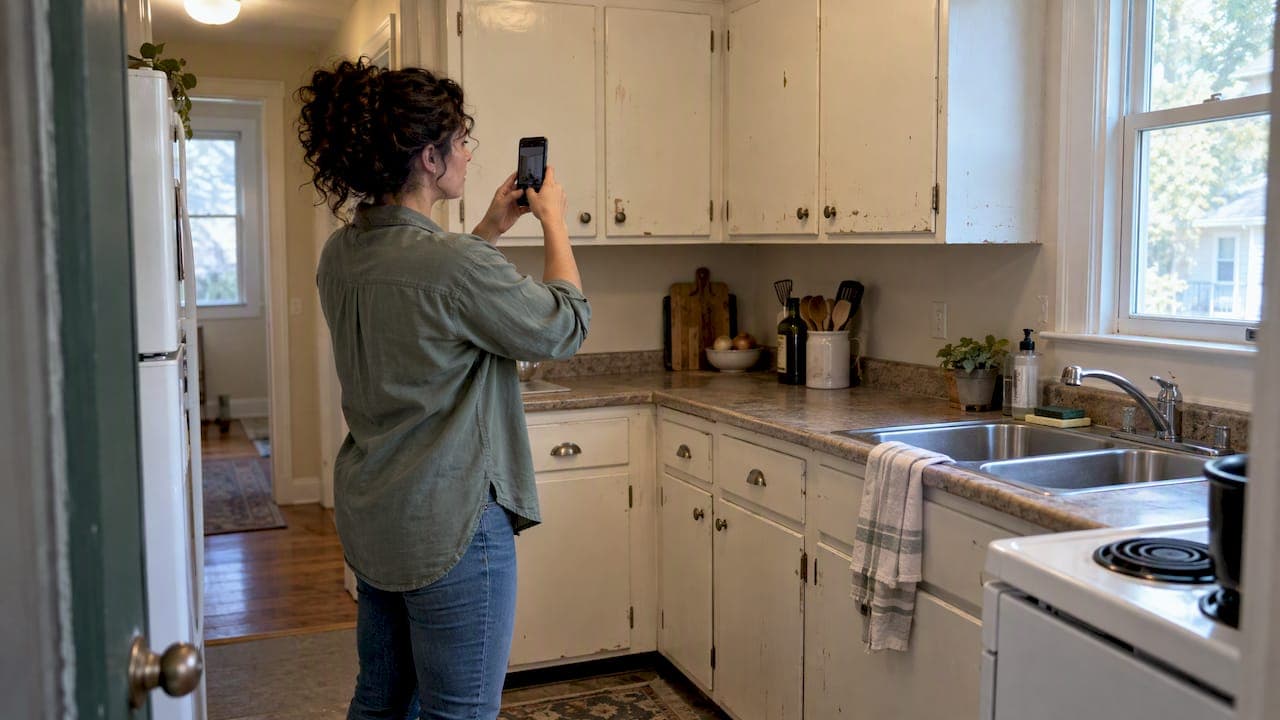
Capture a photo, a one-line impression, and a rough cost band for every remodel idea you spot on a tour, then tag it need, want, or deal-breaker and store it in one consistent record per property. That single habit, paired with a private tool like NestNoted, keeps dozens of homes from blurring together. It also lines up with research showing buyers spend an average of $11,090 on alterations and repairs in year one, money that works harder when it follows a plan instead of a memory.
TL;DR:
- Photograph roofs, foundations, drainage, HVAC units, electrical panels, and plumbing concerns; record system ages, utility costs, and odors or sounds that may signal hidden problems.
- Tag ideas as needs, wants, or deal breakers; score value, cost or effort, and urgency from 1 to 5, then multiply ratings to rank priorities.
- Cosmetic projects stay below $5,000, midrange work runs from $5,000 to $30,000, and major projects exceed $30,000; add a 10% to 15% contingency.
- FHA 203(k), Fannie Mae HomeStyle, VA, and USDA renovation loans can include project costs, but lenders typically require contractor estimates or a defined scope.
- Keep notes private by default and grant access property by property, so an agent or partner sees only the home records you choose to share.
Table of Contents
- Tour-ready checklist: what to capture, photograph, and ask on site
- How to organize remodel ideas so they stay private and comparable
- Budgeting signposts and renovation financing to record with each idea
- What operational issues to document, not just the finishes
- A repeatable prioritization framework for comparing remodel ideas
- How a privacy-first tracker maps to this checklist
- Why disciplined tracking cuts buyer remorse
- Keep your remodel ideas organized with NestNoted
- FAQ
- Sources
Tour-ready checklist: what to capture, photograph, and ask on site
Walking into a showing without a system means you leave with a phone full of random photos and no idea which bathroom went with which kitchen. A short, repeatable checklist fixes that.
- Photograph four categories: the whole room, close-up details (trim, fixtures, flooring seams), mechanicals (panels, water heater, HVAC unit), and anything that looks off, like a stain or a crack.
- Timestamp and label each shot on the spot, since your phone's camera roll will not sort itself by address later.
- Take minimal measurements: doorway widths, ceiling height, and the footprint of your largest furniture piece, so you know early whether a layout idea is realistic.
- Apply one of three tags, need, want, or deal-breaker, and give the idea a quick 1 to 5 priority score before you leave the property.
- Ask and log seller or agent answers: system ages, recent repairs, average utility costs, and HOA fees, all of which shape your remodel math later.
Consumer guides built for exactly this moment recommend checking utility items, testing switches, and noting the age of major systems during a walkthrough, since these details are easy to forget once you have toured five more houses that week.
Pro Tip: Say your first impression out loud and type it into a note while you are still standing in the room. The version you write in the car already sounds different.
How to organize remodel ideas so they stay private and comparable
A pile of labeled photos is only step one. The real value comes from a structure that turns scattered notes into something you can compare across properties.
A useful schema works top-down: property record, then room, then an idea card for each remodel concept. Each card should hold a photo, a short description, a cost band, a priority score, a feasibility note, and whatever the seller or agent told you about that space.
- Cost scale tags (cosmetic, mid-range, major) let you filter ideas by budget impact at a glance.
- Permit-needed tags flag which ideas require a timeline buffer before work can start.
- Livability-impact tags separate must-fix issues from someday upgrades.
Once ideas are tagged, a side-by-side comparison view becomes possible, whether that is a shared spreadsheet or a built-in comparison feature. This is also where a prioritization system for serious buyers earns its keep, since ranked lists are far easier to defend in a negotiation than a gut feeling.
Privacy matters here more than it seems. Notes meant only for you and your agent or partner tend to be blunter and more useful than anything written knowing a seller or the public might see it. Share access per property, not by default, and keep the habit of writing first for yourself.
| Export format | Best use |
|---|---|
| PDF checklist | Bringing a clear list of findings into an offer discussion |
| Comparison table | Weighing two or three finalist homes side by side |
| Shared note thread | Getting a contractor's quick read before you call for a formal quote |
Budgeting signposts and renovation financing to record with each idea
Every idea card needs a rough price tag attached, or it stays a wish instead of a plan. Industry guidance points to spending 1% to 4% of a home's value on maintenance annually, which is a useful floor to keep in mind before layering remodel costs on top.
- Cosmetic work (paint, fixtures, hardware) usually runs under $5,000 and rarely needs a permit.
- Mid-range projects (a kitchen refresh, a bathroom remodel) typically fall between $5,000 and $30,000.
- Major work (additions, structural changes, full system replacements) usually exceeds $30,000 and often requires permits and inspections.
For each idea, note which renovation financing options might apply: FHA 203(k), Fannie Mae HomeStyle, VA renovation loans, and USDA renovation loans all let buyers fold remodel costs into purchase financing, though lenders typically ask for contractor estimates or a defined scope of work before approving anything.
Average post-purchase alteration and repair spending reaches $11,090 in the first year, according to NAHB's analysis of buyer spending, a figure that holds steady into the second and third years of ownership. Log average utility bills and recent major repairs for each property too. Budgeting pro tip: add a 10 to 15 percent contingency to every cost band and note whether a project can be phased after closing instead of done all at once.
What operational issues to document, not just the finishes
New paint and staged furniture are the easiest things to photograph and the least useful for remodel planning. Research on buyer regret finds that buyers often overlook operational issues in favor of cosmetic ones, a pattern that shows up later as surprise repair bills.
- Photograph the roof, foundation, and drainage from multiple angles, including any visible cracks, stains, or slope issues near the foundation.
- Note the HVAC system's age and condition, along with the electrical panel's capacity and any visible plumbing corrosion.
- Record smells and sounds with a short video or voice note, since mold, pests, or a failing furnace often announce themselves before you see them.
- Sketch furniture layout and traffic flow for rooms where you are imagining an open-concept change, since a tempting idea sometimes runs into a load-bearing wall.
Pro Tip: When something looks questionable but you cannot confirm it, mark the idea for a professional follow-up and bring your photos, short video, and rough measurements to that consult instead of describing it from memory.
A repeatable prioritization framework for comparing remodel ideas
Once you have ideas logged across several homes, a simple rubric keeps the comparison objective instead of emotional. Score each idea on three factors from 1 to 5, then multiply them for a composite number.
- Value-to-you: how much this idea improves your daily life or the home's function.
- Cost or effort: how expensive, disruptive, or permit-heavy the work is likely to be.
- Urgency or impact: whether delaying the fix risks damage or cost escalation.
A composite score near the top of the range usually signals a pre-offer must-have, a mid-range score suggests a post-purchase priority, and a low score often means the idea is not worth tracking further. Factor in financing timing and permit lead times too, since a major remodel idea tied to an FHA 203(k) loan moves on a different clock than a weekend painting project. The practical payoff is a short shortlist you can bring into negotiation, plus a phased plan for everything that waits until after closing.
How a privacy-first tracker maps to this checklist
Everything described above works on paper, but a dedicated tool removes the friction. NestNoted's notes and ratings fields mirror the idea-card structure: a photo slot, a short description, tags, and a priority rating all live on one property record instead of scattered across texts and camera rolls.
Shared workspaces let you invite an agent or partner into a specific property's notes without opening your entire history to them, and offer tracking keeps remodel priorities visible right up through negotiation. Because notes stay private by default, the feedback tends to be more candid, which is exactly the kind of input that makes a side-by-side comparison worth trusting.

Why disciplined tracking cuts buyer remorse
Buyers who spend an average of $11,090 in year one rarely regret the spending itself. They regret spending it on the wrong things, chasing a feeling from the tour instead of a documented plan. A scored, tagged record turns that emotional pull into a decision you can defend six months later, which is the real difference between a renovation that pays off and one that just feels good on move-in day.
— Antony
Keep your remodel ideas organized with NestNoted
We built our tool around the exact workflow this article describes: private notes and ratings, photo attachments, tags, side-by-side comparison views, shared workspaces, and offer tracking, all kept confidential by default so your impressions stay honest.

If you are touring homes this season, bring the checklist above into your next showing and log it directly in NestNoted instead of a notes app that will not organize it for you. For quick, low-disruption upgrade ideas worth cataloging along the way, guides like One Day Doors & Closets cover fast door and closet makeovers that fit neatly into a mid-range cost band.
FAQ
What should I photograph first when touring a home for remodel ideas?
Start with the mechanicals: the HVAC unit, electrical panel, and water heater, since these drive the biggest remodel costs. Follow with whole-room shots, close-up details, and anything that looks like a structural or moisture issue.
How much should I budget for remodeling after buying a home?
Buyers of existing homes spend an average of $11,090 on alterations and repairs in the first year, and industry guidance suggests budgeting 1% to 4% of a home's value annually for ongoing maintenance. Treat these figures as planning anchors rather than fixed costs for any single home.
What financing options help pay for renovations after purchase?
Several mortgage products let buyers fold renovation costs into their purchase financing, including FHA 203(k), Fannie Mae HomeStyle, VA renovation loans, and USDA renovation loans. Lenders typically require a defined scope of work or contractor estimates before approving funds.
How do I keep remodel notes private while still sharing them with my agent?
Choose a tool that keeps notes confidential by default and lets you invite collaborators on a per-property basis rather than opening your full history. Shared workspaces work this way, giving you control over exactly who sees which property's notes.
What is the best way to compare remodel ideas across multiple homes?
Score each idea on value-to-you, cost or effort, and urgency, then multiply the scores for a composite ranking. A side-by-side comparison view, whether a shared table or a dedicated feature, makes it easier to see which home's must-have list is realistic within your budget.