

A buyer feedback template is a private, structured form you fill out after every home tour, capturing scores, pros and cons, photos, and offer notes so you never confuse house number six with house number fourteen. The core fields are simple: property address, date viewed, agent contact, photo log, four category scores, and a short offer note.
You can build one on paper, in a spreadsheet, or copy the layout below into a notes app before your next showing. Bring whichever format you'll actually use mid-tour. Most buyers find a printed one-pager works best in the field, since typing detailed notes while standing in someone's kitchen rarely goes well.
- Property address, MLS link, date, and agent name
- Photo order and measurement notes
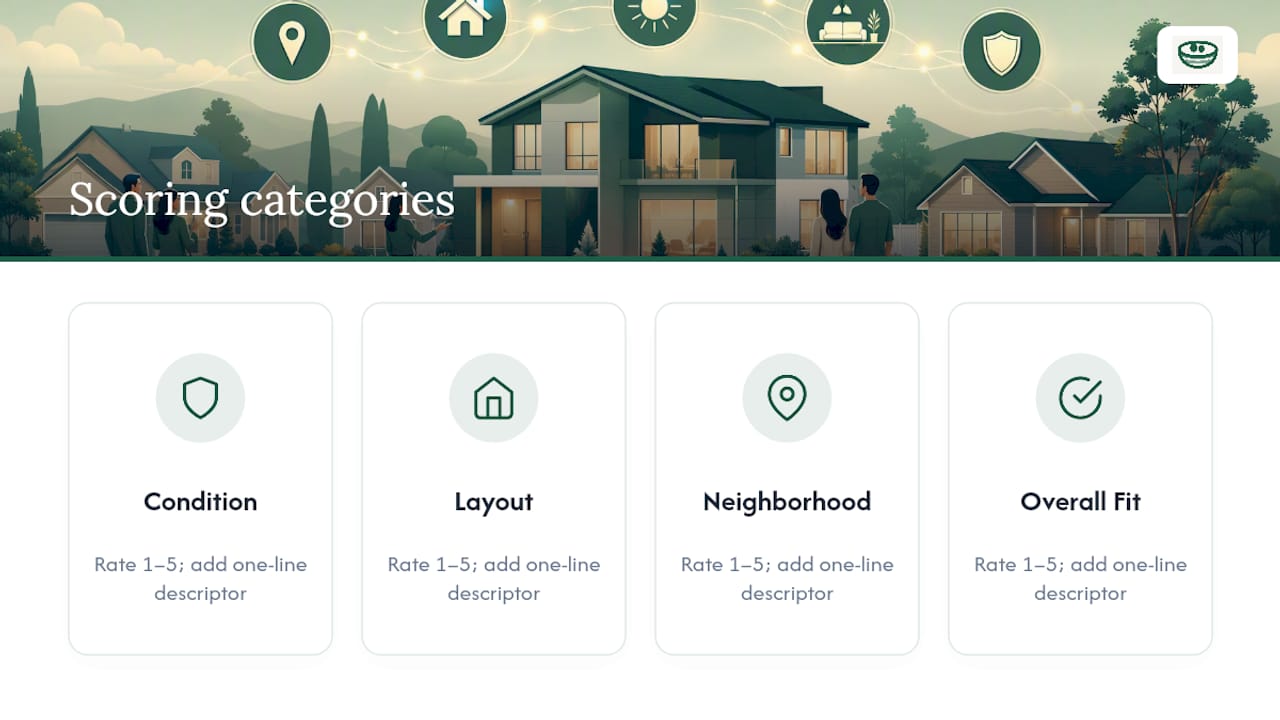
- Four scores on a qualitative scale evaluating Condition, Layout, Neighborhood, and Overall Fit
- Pros, cons, and deal-breakers
- Offer notes: price sensitivity and next steps
Key Takeaways
A private, structured buyer feedback template with consistent scoring and photo order is the single most reliable way to compare multiple homes accurately.
| Point | Details |
|---|---|
| Score every house the same way | Use the 1 to 5 scale across Condition, Layout, Neighborhood, and Overall Fit on every showing. |
| Write notes within the hour | Details blur fast once you've seen more than two or three homes in a day. |
| Keep a fixed photo order | Front, main floor, bedrooms, basement, exterior, every single time, to match images to notes later. |
| Flag deal-breakers separately | A single serious issue should override a good numerical score. |
| Centralize notes privately | Nestnoted stores listing imports, scores, photos, and offer notes in one private, shareable-on-request record. |
Table of Contents
- What Goes in a Real Estate Buyer Feedback Form
- How Do You Use the Template During a Showing?
- What Should You Check in Every Room?
- What Do Buyers Usually Miss?
- Why Antony Built This Around Privacy and Structure
- Adjusting the Template for Different Kinds of Buyers
- What Does a Completed Template Actually Look Like?
- The Part of This Process Most Buyers Get Wrong
- Keep Your Notes Organized With Nestnoted
- Frequently Asked Questions
- Sources
What Goes in a Real Estate Buyer Feedback Form
Every field on the template earns its place by answering a question you'll ask later, usually while comparing five houses at 11 p.m. and trying to remember which one had the cracked driveway.
Header and meta fields. Property address, the MLS listing link, agent name, date viewed, and who attended the showing with you. These sound obvious until you've toured eight homes in a weekend and can't remember which agent showed you the one with the finished basement. The address and date anchor everything else you write. A property viewing checklist built around this structure keeps the header consistent from house to house.
Scoring fields. Rate four categories on a 1 to 5 scale: Condition, Layout, Neighborhood, and Overall Fit. A consistent scoring grid forces you to compare the same factors across homes instead of reacting purely to how good the staging smelled, and it separates emotional response from structural fact, according to a house viewing checklist guide. Write a one-line descriptor next to each score. "Condition: 3, needs roof in 3 to 5 years" tells you more six weeks later than a bare number ever will.
Use this guide when scoring:
Low scores indicate major issues that may be deal-breakers Mid scores indicate workable conditions needing some compromise High scores indicate properties that meet or exceed expectations
Narrative fields. List pros, cons, up to three deal-breakers, a rough repair-cost estimate for anything you'd need to fix, and a short offer note covering price sensitivity and timing. This is where candid writing matters most. Skip the polite language you'd use talking to the agent and write what you actually think.
Photo and measurement section. Follow a repeatable order: front exterior, main floor, bedrooms, basement, then back exterior. A consistent photo order makes it far easier to match images to notes once you've seen a dozen houses that all had white kitchens. Add measurements for any room where furniture fit is a question mark, particularly the primary bedroom and any home office space.

Market snapshot fields. List price, days on market, and any price changes since listing. A home evaluation worksheet that tracks these alongside year built and lot size gives you a fuller comparison base and a paper trail that's useful again at inspection and closing.
How Do You Use the Template During a Showing?
The template only works if you fill it out the same way every time. Here's the routine that keeps notes complete and comparable.
- Before you go: Print or save the template, pack a tape measure and a portable charger, and write down two or three questions for the agent about permits, age of major systems, and past repairs.
- During the showing: Shoot photos in the same order every time, then run the faucets to check water pressure, open a breaker panel, test a few doors and windows, and take note of any odd smells.
- Right after you leave: While it's still fresh, enter photos into the matching fields, assign your four scores, and write one sentence summarizing your gut reaction plus the next step, whether that's "pass" or "schedule a second look."
- Once a week: Pull all your notes together and rank properties. Weight any deal-breakers heavily; a low score in one category shouldn't sink a house, but a cracked foundation should. Your top-ranked property becomes the one you move toward inspection or an offer.
Pro Tip: Score every house within an hour of leaving it. Buyers who wait even a day start blending details from different properties, and by the third house of the weekend the “great kitchen” could belong to any of them.
Keep this log private. Private tours are exactly the setting where you can test systems and ask blunt questions without an audience, and that same privacy applies to what you write afterward, according to Zillow's guidance on touring homes. Share select notes with your agent when it helps the search, but the unfiltered version stays yours. Feedback tends to soften the moment you know someone else will read it, which defeats the purpose of tracking anything in the first place.
What Should You Check in Every Room?
A few seconds per room, focused on the right details, catches most of what matters.
- Exterior: grading away from the foundation, roof condition, gutter attachment, cracked steps, peeling paint, deck or porch stability.
- Entry and common areas: floor levelness, any lingering odors, how the layout guides foot traffic, natural light at the time of day you're visiting.
- Kitchen: workflow between sink, stove, and fridge, outlet placement and count, appliance condition, cabinet and pantry capacity.
- Bathrooms: exhaust fan function, water stains, grout condition, water pressure, and how long it takes for hot water to arrive.
- Bedrooms and closets: whether your existing furniture will fit, closet capacity, and noise from the street or neighboring rooms.
- Basement, attic, and systems: moisture stains or musty smell, HVAC age, and whether the electrical panel is labeled or a mystery.
- Neighborhood: traffic patterns at rush hour, on-street parking availability, proximity to amenities, and noise levels during evening hours if you can time a visit that way.
What Do Buyers Usually Miss?
The most common mistake is "pretty-kitchen bias," where one great room inflates the score for the whole house. Close behind it: filling out notes days later instead of within the hour, which blurs details between properties. Skipping a consistent photo order compounds both problems.
Certain findings should stop you cold regardless of how the numbers add up: active moisture, foundation cracks wider than a hairline, exposed or amateur electrical work, and any sign of a repair that was covered up rather than fixed. Don't just note these. Turn them into a specific inspection request or a repair credit ask before you go further.
Why Antony Built This Around Privacy and Structure
. Antony designed this template around one idea: buyers write more honestly when nobody's watching.
- Private notes by default, so first impressions stay unfiltered
- Listing import and side-by-side comparisons that mirror the template's fields
- Offer logging that turns scattered notes into a decision record
Adjusting the Template for Different Kinds of Buyers
The four core scores stay fixed, but what you weigh inside each one should shift with who's buying.
Families touring homes tend to care most about school boundaries, yard safety, and bedroom count relative to closet space. Add a line under Neighborhood for school district notes and walk times to a park or bus stop, and treat noise from nearby roads as a near deal-breaker rather than a minor deduction.
Investors need a different lens entirely. Overall Fit should shift toward rent potential and resale liquidity rather than personal taste, and the repair-cost field matters more than the pros and cons list, since a rough estimate on deferred maintenance often determines whether a deal pencils out. Add a line for estimated monthly carrying cost next to the offer note.
First-time buyers usually benefit from a slower, more literal use of the template. Write out full sentences instead of shorthand, since you don't yet have a mental library of "normal" versus "concerning" to draw on. Lean harder on the room-by-room prompts, and don't skip the systems checks just because a house looks new. New paint hides plenty.
Agents working with any of these buyers can adapt the same base form; the fields don't change, only which ones get flagged as priority before the showing starts.
What Does a Completed Template Actually Look Like?
A filled-out entry for a single showing might read: 214 Maple Court, viewed March 14, agent Dana R. Condition 4, roof replaced 2021 per seller disclosure. Layout 3, awkward transition between kitchen and dining room. Neighborhood 5, quiet cul-de-sac, elementary school two blocks away. Overall Fit 4.
Pros: updated kitchen, large primary closet, low-traffic street. Cons: no mudroom, small second bedroom. Deal-breakers: none. Offer note: list price feels firm given 12 days on market, no price cuts yet, would open at asking if inspection is clean.
That's the whole entry, six lines that took maybe four minutes to write in the driveway. Compare that against a house scored Condition 2 for a musty basement smell and visible water staining near the sump pump, Overall Fit 2, with a note reading "pass unless price drops $20k, moisture needs a specialist before we go further." Two houses, two very different next steps, and both captured in about the same amount of time. That's the entire value of the format: fast enough to use in the field, specific enough to trust weeks later when you're deciding between finalists.
The Part of This Process Most Buyers Get Wrong
Most advice on home tours focuses on what to look for. Almost none of it addresses when and how you write things down, and that gap causes more bad decisions than any missed roof inspection. A buyer who scores a house three days after seeing it isn't remembering the house. They're remembering their memory of the house, filtered through whatever they've seen since.
The conventional wisdom says take good notes. The better advice is take notes on a fixed structure, immediately, before your brain starts averaging houses together. A four-category score sounds almost too simple for a decision this size, but simplicity is exactly why it works under time pressure. Complicated systems get abandoned by the third showing.
If you take one thing from this, prioritize speed and consistency over depth. A rough score written in the driveway beats a perfect paragraph written three days later from memory, every time.
Keep Your Notes Organized With Nestnoted
Paper templates and spreadsheets work, but they fall apart fast once you're tracking a dozen homes with photos, measurements, and offer notes scattered across different files. Nestnoted was built to hold all of it in one private place: import listings directly, log photos and measurements against the same fields this template uses, score each property the same way every time, and keep every note invisible to anyone but you and whoever you choose to share it with.

It also logs your offer history and lets you run side-by-side comparisons across every home you've toured, so ranking your shortlist takes minutes instead of a Sunday night spreadsheet session. Agents get read access only where you grant it, so candid notes stay candid. Start a free listing import and bring your next showing's notes straight into a system built to hold them.
Frequently Asked Questions
What is a buyer feedback template used for? It's a private form you fill out after each home showing to record scores, photos, pros and cons, and offer notes, so you can compare properties accurately weeks after the actual tour.
Should I share my buyer feedback form with my agent? Share selected notes when it helps the search, particularly deal-breakers and price sensitivity. Keep your unfiltered scores and comments private so your first impressions stay honest.
What's the difference between a buyer survey template and a feedback template? A buyer survey template usually gathers structured opinions from multiple people, while a buyer feedback template is a personal, ongoing record you keep for yourself across every property you tour.
How many properties should I track before ranking them? Rank whenever you have three or more scored entries. Weekly review works well for buyers seeing two to four homes per week.
Can I customize the scoring categories? Yes. The four core categories, Condition, Layout, Neighborhood, and Overall Fit, work for most buyers, but investors often add a rent-potential line and families often add a school-district note.
Sources
- House Showing Checklist: What to Look For (FirstKeysGuide)
- House Viewing Checklist: What to Look For at Every Showing (FirstHomeToolkit)
- What to Look for When Touring a House (Zillow)
- Home Evaluation Worksheet (Rocket Lawyer)