

The fastest route depends on scale. For a quick side project, a browser extension pulls Zillow search results into a CSV in minutes. For work you'll defend to a client, MLS Matrix or Redfin's native export gives you an authoritative CSV straight from the source. For recurring or large-scale pulls, a cloud importer or API job handles pagination and scheduling on its own.
TL;DR:
- Using a browser extension is ideal for quick, one-time exports of up to a few hundred listings, especially during weekend home tours.
- MLS Matrix and Redfin's native export options provide more accurate data for professional use, with Redfin capped at roughly 350 records per request.
- For recurring or large-scale data pulls, automation tools like cloud importers or API jobs offer scheduled, comprehensive exports that include deduplication and pagination features.
- Consistent and precise filtering, along with recording export timestamps and MLS IDs, is essential to maintain comparable datasets over time.
- Converting raw exports into organized, private tracking spaces allows effective follow-up, note-taking, and analysis, supporting scalable property research efforts.
Table of Contents
- How Do You Export Home Search Data?
- How Do I Export Zillow Search Results With a Browser Extension?
- How Do MLS Matrix and Redfin Handle Native Exports?
- When Should You Use an API or Cloud Importer Instead?
- What Keeps Repeated Exports Clean and Comparable?
- From Export to Private Workspace: A Practical Workflow
- Which Export Method Actually Fits Your Situation?
- Turn Your Export Into a Private Property Pipeline
- Sources
- FAQ
How Do You Export Home Search Data?
Three methods cover almost every situation, and picking the wrong one is usually what makes people frustrated with the whole process.
Browser extensions are the quickest on-ramp. Tools like the Zillow Data Exporter capture whatever is on screen in a search results page and turn it into a downloadable file, no coding required. Portal-native exports, like MLS Matrix's Export function or Redfin's CSV endpoint, pull data directly from the source system, which makes them the choice when accuracy matters more than speed. Manual copy and paste still works for five or ten listings, but it falls apart past a single page.
The tradeoffs break down like this:
- Browser extensions: fast setup, capped by plan limits, best for research and comparison shopping.
- Portal-native export: authoritative field data, but usually restricted to logged-in agents or MLS members.
- APIs and cloud importers: built for volume and repeat pulls, but they require more setup and sometimes a paid plan.
- Manual copy/paste: zero tools needed, but it doesn't scale past a handful of rows.
If you're touring ten homes this weekend, grab the extension. If you're pulling comps for a listing presentation, use the MLS. If you're tracking a metro area's inventory every week, skip both and build an automated pull.
How Do I Export Zillow Search Results With a Browser Extension?
Extensions like the Zillow Data Exporter turn a results page into a spreadsheet without touching a line of code. Here's the workflow:
- Install the extension from the Chrome or Firefox add-on store and create an account if the tool requires one for exports past the free tier.
- Open your Zillow search and confirm your filters (price range, beds, radius) are exactly what you want captured, since the extension only grabs what's currently rendered.
- Choose your fields before exporting. Most tools let you deselect columns you don't need, which keeps the output clean instead of a 40-column mess.
- Pick your format. CSV works everywhere; XLSX is better if you're handing the file to someone who lives in Excel.
- Export page by page if the tool caps records per pull. PropertyDataLabs' free plan limits the number of listings per export and the total number of exports per month to manageable amounts, so a large search might need two or three passes.
- Combine the files in a spreadsheet if you exported across multiple pages, then sort by address or MLS number and delete duplicate rows before you start analyzing.
The add-on's own documentation confirms it handles for-sale, for-rent, sold, and saved listings, which cover most search scenarios a buyer or agent runs into.
How Do MLS Matrix and Redfin Handle Native Exports?
Professionals who need results they can defend to a client tend to skip extensions entirely and export straight from the source.
- In Matrix, run your search, select the results you want (or all of them), then go to Results → Action → Export. Choose a report or a custom display, and Matrix generates a downloadable .csv file with exactly the fields your display includes.
- On Redfin, the platform's CSV export endpoint returns listing data directly, though it's capped at roughly 350 records per request in some documented calls, with fields like address, price, beds, baths, square footage, and days on market included by default.
- When combining files from both sources, keep your column headers identical between pulls. A "SqFt" column from one export and "Square Feet" from another will break any merge you try to run later.
Matrix exports tend to carry more MLS-specific fields (agent remarks, showing instructions), while Redfin's endpoint is leaner but faster to pull repeatedly.
When Should You Use an API or Cloud Importer Instead?
Once you're exporting the same search weekly, or pulling thousands of rows instead of dozens, browser tools start to show their limits. That's the signal to move to a cloud importer or API job.
The format you choose matters here more than it does for a one-off pull. CSV and XLSX remain the right choice if a human is going to open the file in Excel or Google Sheets. But extraction tools and cloud pipelines often support Parquet or JSON as well, which compress better and work faster in analytics tools built for larger datasets.
Look for these features before committing to a tool:
- Deduplication so repeat listings across pages don't inflate your counts.
- Column selection so you're not scrubbing 30 unused fields every time.
- Automated pagination that pulls every page of a search without manual clicking.
- Scheduling so a weekly market snapshot runs itself instead of eating your Monday morning.
A data analyst tracking a metro area's inventory trend has no business doing this by hand every week. That's exactly what automation is for.
What Keeps Repeated Exports Clean and Comparable?
The single biggest factor in keeping exports comparable over time is reusing the exact same saved filters and search URL every time you pull data. Change the radius or price band mid-tracking and your week-over-week comparison is worthless.
Beyond that, a few habits save hours of cleanup later:
- Use the same column selections every export, so merges don't break on mismatched headers.
- Anchor every row to a stable key, ideally the MLS number, since addresses get typed inconsistently across portals.
- Strip duplicate rows immediately after export, before they get buried in a bigger sheet.
- Record the filters, export timestamp, and page range as metadata alongside the data itself.
Pro Tip: Add an export timestamp and a unique row ID as the first two columns of every file you save. It costs nothing and it's the only reliable way to join this week's pull against last week's without guessing.
From Export to Private Workspace: A Practical Workflow
Getting a spreadsheet full of listings is only half the job; platforms like Desantis Realty Group's home search show how exported data can be organized for better research and agent use. The harder part is turning that raw export into something you'll actually use when you're comparing twelve homes at 9 p.m. after a weekend of tours.
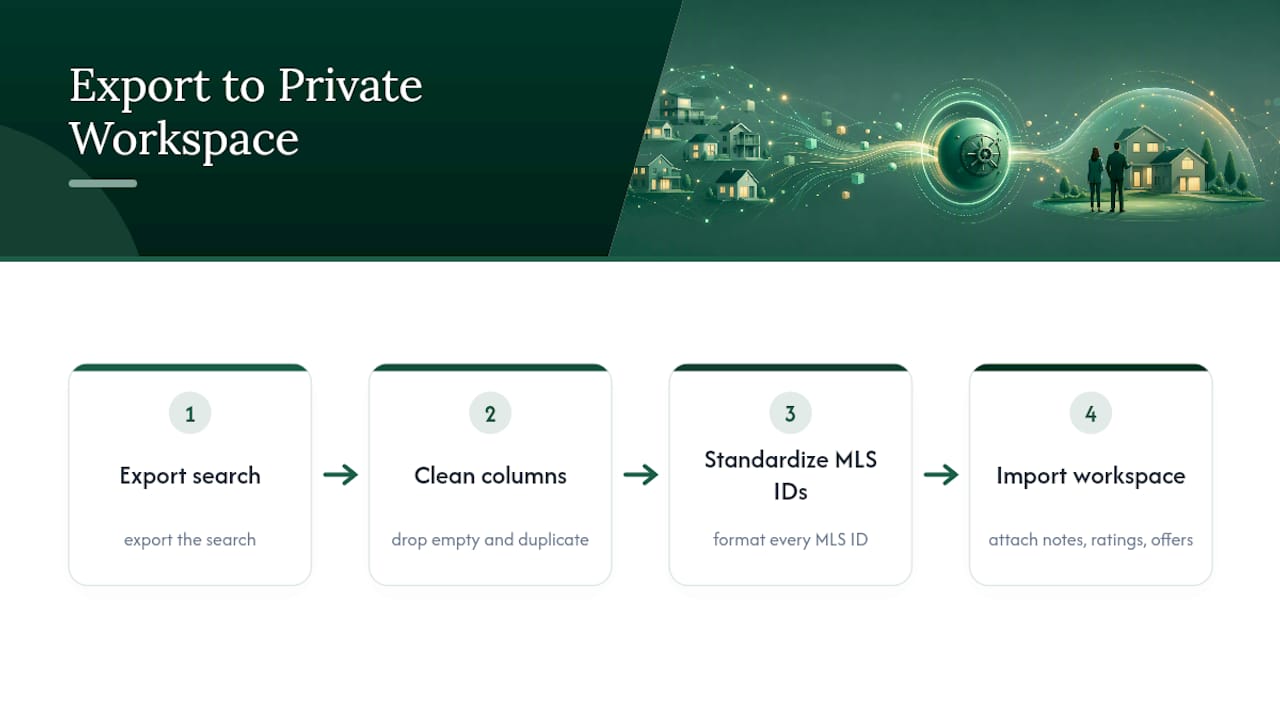
A workable sequence looks like this: export the search, strip empty and duplicate columns, standardize every MLS ID to the same format, then import the cleaned file into a private tracking workspace. From there you can attach notes, ratings, and offer details to each listing without losing track of which house had the leaky basement and which one had the great light in the kitchen.
This is the exact gap that some personal property management tools aim to close. Instead of a spreadsheet that quietly becomes unreadable by home number fifteen, an imported export becomes a private, organized property list you and your agent can actually work from.
Which Export Method Actually Fits Your Situation?
Match the tool to the job, not the other way around. Quick research on a Saturday? A browser extension or a single-page portal export is plenty. Ongoing weekly tracking of a neighborhood? That calls for a scheduled cloud importer or a saved MLS export you rerun on a routine. Real analytics work, comparing hundreds of listings across months, belongs on an API pull or a Parquet-based data feed. Whatever you choose, write down your filters and export timestamps every time. That habit alone prevents most of the "why don't these two files match" headaches down the road.
Turn Your Export Into a Private Property Pipeline
Once your CSV or XLSX file is sitting on your desktop, the real work starts: actually using it without losing track of which listing was which. Some personal property management tools accept CSV and XLSX imports directly, so you can move an exported search straight into a private workspace instead of a spreadsheet that gets messier every week.

Everything you attach after that, private notes, ratings, side-by-side comparisons, offer tracking, stays confidential by default. That privacy setting matters more than it sounds: it's the difference between a buyer writing an honest "kitchen felt cramped, pass" and softening every note because someone else might read it. NestNoted's AI assistant can also answer questions against your own notes once they're loaded in, so you're not scrolling through forty rows trying to remember which house had the bad roof.
Export a page from your next search, import it, and start building a pipeline that actually holds up past listing number twenty.
Sources
- Matrix: How to export your results to a spreadsheet
- Zillow Data Exporter - Browser Extension | PropertyDataLabs
- Zillow Data Exporter – Get this Extension for Firefox
- Apis
FAQ
Can I combine exports from multiple pages into one file?
Yes. Export each page separately, keep the column headers identical across files, then paste the rows into one sheet and remove duplicates by MLS number or address.
Should I export to CSV or XLSX?
CSV is the safer universal choice and opens cleanly in nearly any tool; XLSX is better if you need multiple tabs or formatting preserved for a colleague.
Are browser extensions like Zillow Data Exporter safe to use?
Reputable extensions run locally in your browser and only capture what's already visible on the page, but you should still review the portal's terms of service before scraping at scale.
How do I keep weekly exports consistent for comparison?
Reuse the same saved search filters and URL every time, keep your column selections identical, and record the export timestamp with each file.
What's the best way to organize an export after downloading it?
Clean and deduplicate the file, then import it into a private workspace like NestNoted where you can attach notes, ratings, and offer status to each listing.