

An AI home tour summary is a private, buyer-generated recap of your own showing notes, photos, and impressions, not a marketing video or virtual walkthrough. The workflow that works: record a 60 to 90 second voice memo right after leaving, auto-transcribe it, run it through an AI summary prompt, verify anything flagged uncertain, then tag and archive it. A tool like NestNoted handles the capture, tagging, and archive steps in one private workspace.
TL;DR:
- Most buyers struggle to recall why they liked or disliked a property without structured, searchable summaries derived from voice memos.
- Consistent tagging with property ID, features, neighborhood characteristics, and status flags enhances future comparison of multiple homes.
- The process from recording to verifying a home tour note takes roughly four minutes, making it practical immediately after each showing.
- AI summaries should never infer seller motivation, property conditions, or protected-class details; always review flagged [VERIFY] items.
- Using tools like NestNoted allows private, tagged, and AI-summarized notes that streamline side-by-side property comparisons.
Table of Contents
- How AI Turns Raw Notes Into a Structured Home Tour Summary
- A 4-Minute Capture-to-Recap Workflow You Can Use After Every Showing
- Structuring, Tagging, and Archiving Notes for Later Comparison
- Privacy, Accuracy, and Fair-Housing Guardrails for AI Summaries
- Turning Multiple Summaries Into a Property Comparison
- Copy-Ready Prompts for Summaries, Recaps, and Comparisons
- The Real Gap Between AI Notes and Useful Notes
- Keep Your Tour Notes Private, Searchable, and Ready to Compare
- Sources
- FAQ
How AI Turns Raw Notes Into a Structured Home Tour Summary
Your voice memo is just audio until software does three things to it: transcribe, extract, and summarize. Transcription converts speech to text. Extraction pulls out the pieces that matter (square footage comments, that weird smell in the basement, your partner's reaction to the kitchen). Summarization stitches those pieces into a clean paragraph you can actually reread six weeks later when three houses have started to blur together.
The extraction step is where most of the value hides. A raw transcript is searchable but messy. Once you tag it with consistent fields, it becomes something you can query across every property you've toured:
- Address and listing ID
- Date and time of the showing
- Buyer names present
- Agent notes vs. buyer notes
- Tags for features, concerns, and follow-ups
This kind of tagging is standard practice in AI notes for real estate workflows, where consistent metadata is what makes a stack of separate memos behave like one searchable database.
The speed difference is real. Industry reporting on AI memo tools shows agents processing property notes up to three times faster than manual typing. For a buyer touring four or five homes in a weekend, that's the difference between finishing your notes that night and never finishing them at all.
A 4-Minute Capture-to-Recap Workflow You Can Use After Every Showing
Impressions fade fast. The most reliable practice is capturing your reaction within two minutes of walking out the front door, before the next listing's driveway starts overwriting your memory of this one.
Here's the routine, timed:
- Record (60 to 90 seconds). Cover positives, concerns, your buyer's actual reaction (not what you think they should feel), and any follow-up questions for the listing agent.
- Transcribe (automatic). Most voice apps or AI note tools handle this the moment you stop recording.
- Summarize (about 1 minute). Run the transcript through a prompt that pulls out pros, cons, and next steps.
- Verify (about 1 minute). Read the summary and mark anything uncertain with [VERIFY] rather than letting it stand as fact.
- Tag and store. Drop it into your archive with address, date, and category tags.
That full loop runs about four minutes end to end, matching the voice-memo-to-recap benchmark reported by agents who've built this into their showing routine. Try a prompt like: "Summarize this transcript into a buyer recap email covering top three impressions, concerns, and follow-up questions."
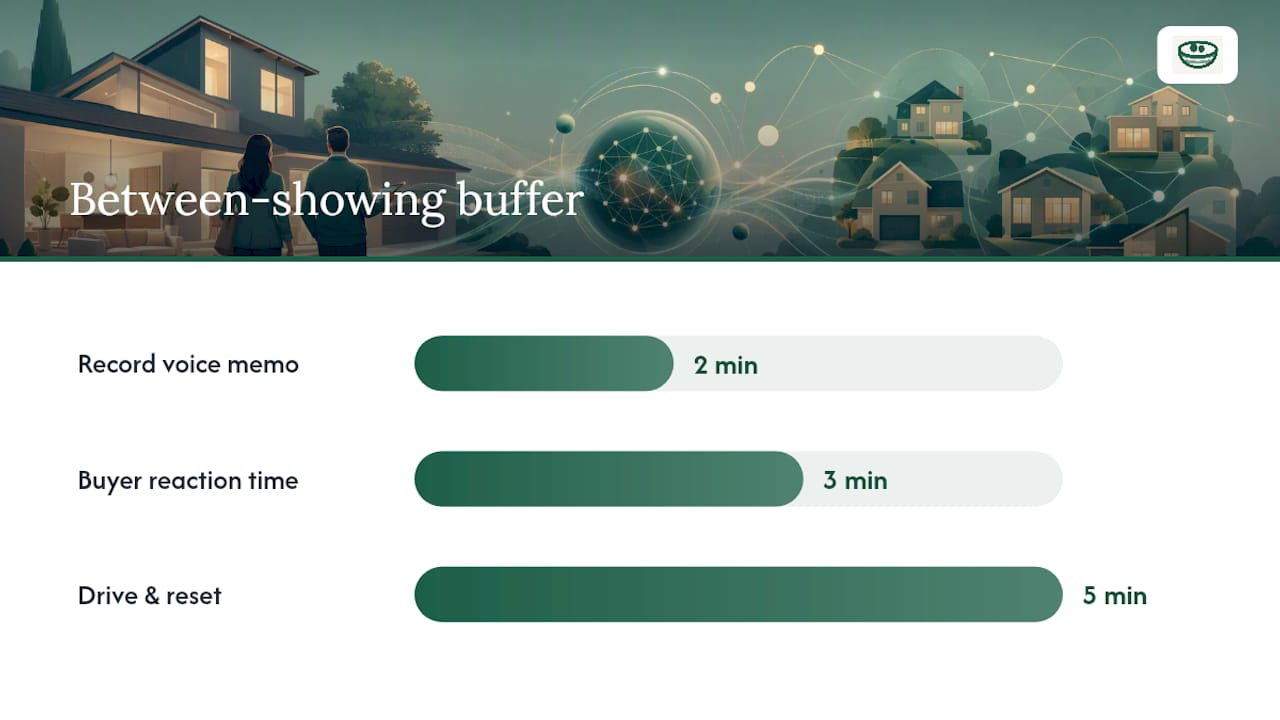
Pro Tip: On multi-showing days, block 10 extra minutes between every two appointments. Two minutes to record, three for your buyer to react out loud, five to drive and reset before walking into the next house cold.
Structuring, Tagging, and Archiving Notes for Later Comparison
A transcript sitting alone in a notes app is only half the job. The real payoff comes from converting it into a tagged, searchable archive you can pull up months later without scrolling through fifty voice memos trying to remember which house had the cracked foundation.
Use the same field names every time:
- Property ID: address or MLS number, never a nickname you'll forget
- Date toured and buyers present
- Feature tags: kitchen, layout, parking, HVAC age
- Neighborhood tags: school zone, commute, walkability notes
- Status flags: "needs inspection," "under budget," "backup option"
Consistency matters more than complexity here. If one summary tags "garage" and another tags "parking," your AI assistant can't group them when you later ask it to compare every home with covered parking. Pick your vocabulary once and stick to it across every showing.
Privacy, Accuracy, and Fair-Housing Guardrails for AI Summaries
AI is good at summarizing what you actually said. It's dangerous when it starts inferring what it thinks you meant. Industry guidance on showing follow-up practices is clear that summaries should never speculate on things like a seller's motivation, a neighborhood's demographic makeup, or a buyer's protected-class characteristics.
Build these rules into every prompt you use:
- Never let the AI guess a buyer's reasons for liking or disliking a home beyond what was said aloud.
- Never let it assert a property condition ("no mold present") that wasn't professionally verified.
- Never let it infer or reference protected-class details about a neighborhood or its residents.
- Mark any unclear audio or handwriting with [VERIFY] instead of letting the model fill the gap with a guess.
That last point matters more than it sounds. Practitioner writeups on converting handwritten notes into CRM recaps warn that AI will confidently invent a word it can't read rather than admit it doesn't know. Treat every [VERIFY] flag as a checklist item, not a suggestion.
Pro Tip: Keep every summary private by default and share links only when you mean to, never as a broadcast setting you forget is on.
Turning Multiple Summaries Into a Property Comparison
Individual summaries are useful. A comparison recap built from several of them is where you actually make a decision. Once you've toured four or five homes, the real move is asking your AI assistant to synthesize them side by side.
- Feed it every property summary tagged so far, along with your stated priorities (budget, commute, school zone, must-have features).
- Ask for output structured around three buckets: top follow-up questions, inspection priorities, and negotiation levers.
- Use that output to decide which two homes earn a second showing and which get dropped.
For agents, this comparison recap does double duty; it's also the moment to consider mortgage options available through David Mordue - Get Your Mortgage Pre-Approval or Mortgage Refinance Today. Send the follow-up questions straight to listing agents, and use the negotiation levers section to prep your buyer for an offer conversation without re-reading five separate transcripts the night before.
Copy-Ready Prompts for Summaries, Recaps, and Comparisons
Three prompts cover almost every situation you'll hit during a home search:
- Voice-memo recap (internal): "Summarize this transcript into three sections: positives, concerns, follow-up questions. Flag anything unclear with [VERIFY]."
- Buyer-facing recap: "Rewrite this summary as a short, professional email to a buyer recapping their reaction to [address], ending with next steps."
- Multi-property comparison: "Compare these summaries against these priorities [list them]. Output pros, cons, and a recommended next action for each property."
Keep the [VERIFY] instruction in every prompt variant. It's the single line standing between a useful summary and one that quietly makes something up.
The Real Gap Between AI Notes and Useful Notes
Most buyers don't lose deals because they forgot a house. They lose track of why they liked it. The gap between raw AI transcription and a genuinely useful summary is verification and consistent tagging, not the AI model itself.
One buyer couple I know toured nine homes in three weekends and could only clearly recall two by the end. The other seven existed as vague impressions until they started running quick voice memos into structured summaries.
— Antony
Keep Your Tour Notes Private, Searchable, and Ready to Compare
This type of tool is often built around workflows like private capture, consistent tagging, and searchable archives that turn scattered voice memos into usable comparison tools.
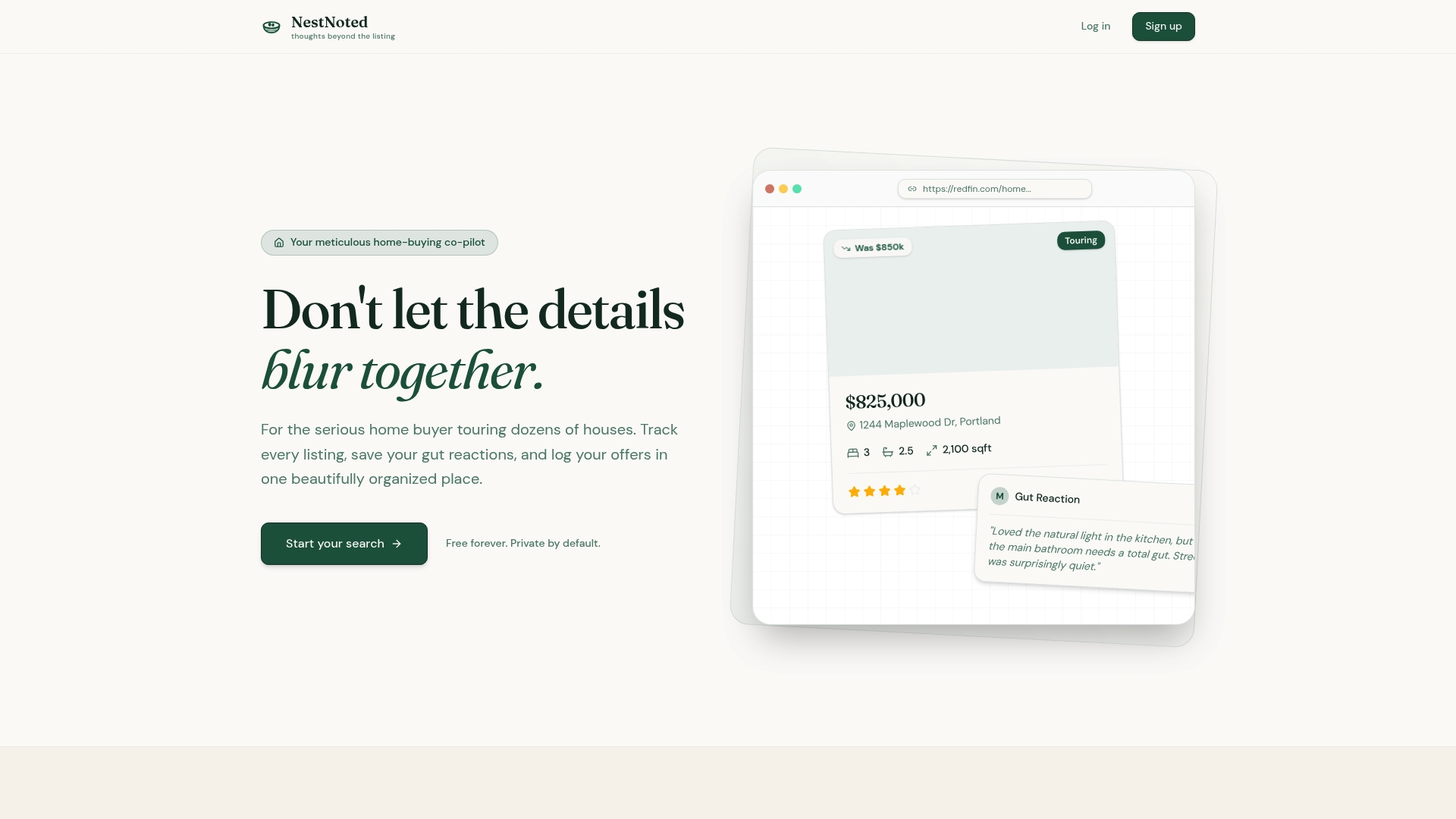
Every note stays private by default. Nothing you log becomes a public review, and nothing gets shared unless you choose to share it, which matters when your honest reaction to a listing is "the yard backs up to a highway" and you don't want that opinion floating around publicly. Nestnoted syncs listings from Zillow and Redfin, lets you attach your voice-memo summaries directly to each property, and includes an AI assistant that can query your own notes when you're ready to compare homes side by side. If you're touring more than one or two properties this month, set up a workspace at Nestnoted before your next showing and capture the recap while it's still fresh.
Sources
- RE/MARKET: Rechat launches AI memo to capture agent conversations in real time (RISMedia)
- A 4-Minute AI Workflow Every Buyer Agent Should Have (ActiveRain)
- AI notes for real estate: Properties, clients, and market research (Mem.ai guide)
- Turn handwritten showing notes into CRM-ready recap with AI (PromptedWork)
FAQ
Is It Legal to Record a Home Showing on Your Phone?
Recording your own voice memo of your reactions after leaving a showing is different from recording other people without consent, which varies by state consent law. Check your state's rules before recording conversations with agents or sellers present, and when in doubt, record only your own private commentary once you've stepped outside.
How Accurate Are AI Home Tour Summaries?
They're accurate for what you actually said, but AI can guess at unclear audio or handwriting rather than admitting uncertainty, according to practitioner guides on transcription workflows. Always review flagged [VERIFY] items before treating any summary as final.
How Long Does the Whole Capture-to-Summary Process Take?
The full loop, recording, transcribing, summarizing, and verifying, runs about four minutes per property based on documented voice-memo workflows. That's fast enough to do after every single showing, even on a five-house Saturday.
When Should You Not Trust an AI Summary?
Never trust it on anything involving unverified property condition claims, buyer motivation, or protected-class details about a neighborhood, since guidance on showing follow-up practices flags these as inference risks AI should never make. Treat those categories as human-verify-only, no exceptions.
Can NestNoted Generate These AI Summaries for Me?
Yes. Nestnoted lets you attach voice notes and impressions directly to each property in your private workspace and includes an AI assistant that can summarize and query your own tour notes. Current pricing details are available on the Nestnoted site.